 Chatfuel
Many missed appointments happen because of something surprisingly simple—a broken chain between how you manage customers and how you manage time.
When your CRM talks to your calendar, everything changes. Patient no-show rates drop with self-scheduling options. Confirmation messages are sent automatically. Follow-ups happen on time. Your team stops playing calendar tetris.
In this guide, you'll learn about the top 10 CRM solutions with Google Calendar integration that remove the scheduling chaos. We'll help you decide which ones work best and answer your questions about which features ensure you get the most value before you sign up for any account.
Why you need CRM and Google Calendar integration
Time savings and efficiency gains: Think about your current process. Someone books an appointment. You open your CRM. You switch to Google Calendar. You enter the same information again. You set a reminder. You send a confirmation email. That's five separate actions for one appointment, when it could have been done automatically with proper integration. Automation can cut the drudge work of filling up the calendar into a 30-second task. Scale that across teams and weeks, and you've just reclaimed hours.
Reduced scheduling conflicts: Double bookings happen when systems don't talk. Google Calendar integration prevents this by maintaining real-time availability across your entire organization without the constant back-and-forth.
Improved client experience: When clients receive instant booking confirmations, timely reminders, and smooth rescheduling options, they notice. They also show up more reliably.
Better team coordination: Your team doesn't need to ping each other constantly, asking "Are you free at 2?" Calendar integration provides everyone with visibility into availability without disrupting workflows. Team members can schedule client meetings, block focus time, and coordinate handoffs—all while the CRM automatically logs every interaction.
Data-driven insights: Integrated systems create complete activity histories. Every meeting, call and interaction flows into your CRM automatically. This gives you visibility into which team members are overbooked, which time slots see the most no-shows, and where your sales process actually stalls, helping you improve operations over time.
CRM-calendar integration: What it actually does
Once you open an account and take the steps to set up integration, here's what you can expect.
Two-way sync: When you create a new event in your CRM, it automatically appears in your Google Calendar. Change the time in Google Calendar, and your CRM updates instantly. This bidirectional sync means you work in whichever tool feels natural, and the other one stays current.
Rescheduling without back-and-forth: Instead of forcing your staff to handle scheduling changes manually, patients can request a new time directly from the reminder conversation. When they reschedule, the booking updates automatically so your calendar stays accurate.
Reminder automation: The system sends different reminders via email or SMS before scheduled appointments. You control the timing (24 hours before, 2 hours before, or whatever works for your business). This helps ensure nobody forgets about their commitment.
Team calendar visibility: Managers can view team member availability and scheduled appointments without accessing individual calendars. This improves resource allocation—you know immediately if someone has capacity for a rush project or if your star closer is already maxed out this week.
10 best CRM solutions with Google Calendar integration
Comparison table
Tool | Rating | Key features | Monthly billing pricing | Best for |
Chatfuel | 4.4 | AI booking, multi-channel communication automation, built-in calendar | From $19 | Healthcare and wellness SMBs using social media for leads |
monday CRM | 4.6 | Visual pipelines, team collaboration boards, automation actions, Google Meet integration | From $18 | Teams wanting customizable workflows |
Copper | 4.5 | Deep Google integration, Chrome extension, automatic data capture | From $12 | Small to medium businesses prioritizing minimal context-switching |
Calendly | 4.7 | Meeting scheduling, team round-robin distribution, payment collection | From $12 | Consultants, sales teams and service professionals |
Less Annoying CRM | 4.9 | Simple pipeline tracking, unlimited contacts, built-in calendar | $15 | Small businesses wanting a lightweight CRM |
Agile CRM | 4.0 | Marketing automation, sales tracking, helpdesk | From $14.99 | Small businesses graduating from spreadsheets to all-in-one platform |
Nutshell | 4.3 | Sales automation, reporting, pipeline management | From $19 | B2B sales teams with longer sales cycles |
Happoin | N/A | Appointment scheduling, patient and waitlist management | From $6 | Small healthcare practices needing straightforward appointment scheduling |
Jane App | 4.0 | Healthcare-specific features, online booking, charting | From $54 | Health and wellness practitioners needing practice management plus scheduling |
Confirmafy | N/A | Appointment confirmations, SMS reminders, analytics | From $12 | Service businesses with high appointment volumes |
Chatfuel
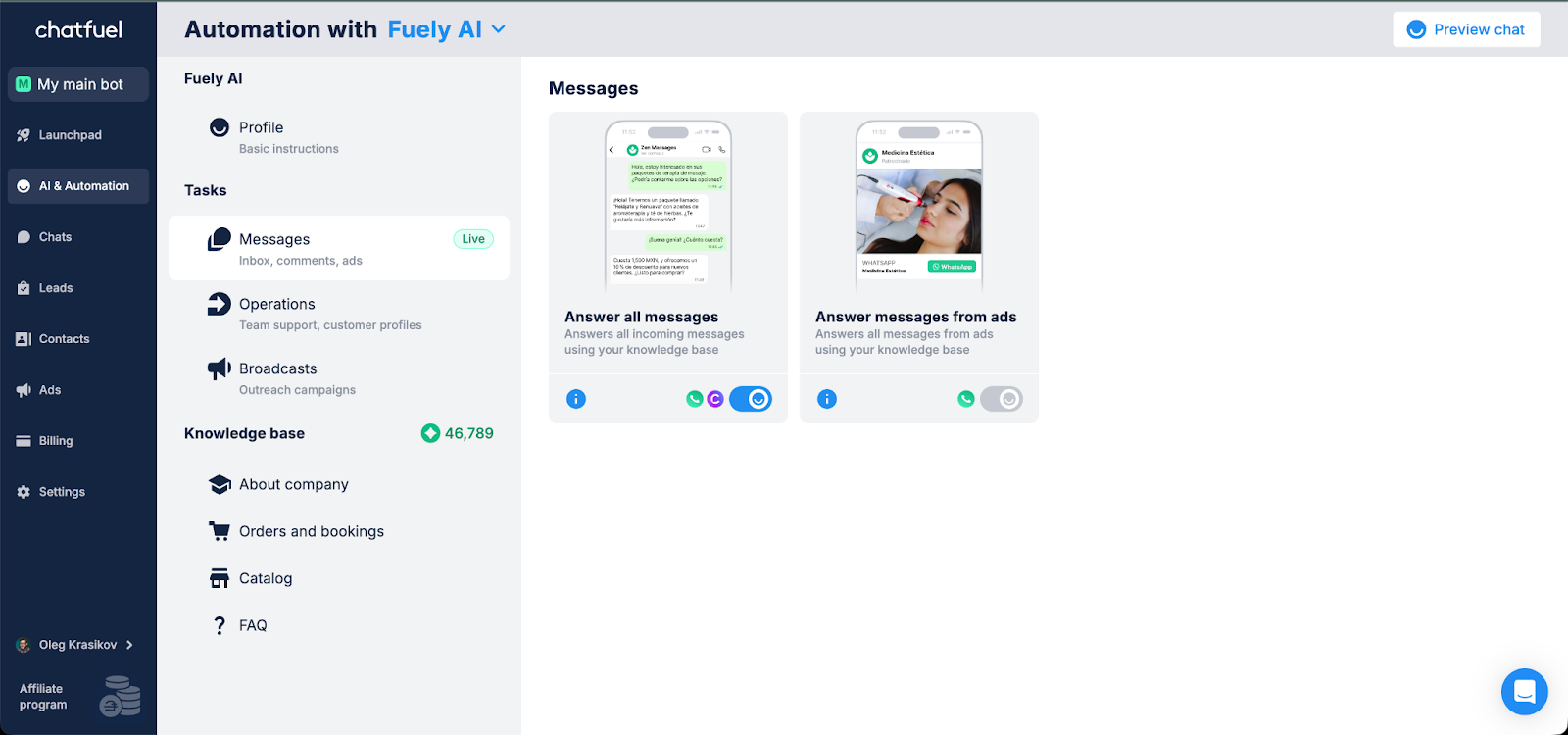
Chatfuel takes a different approach to CRM and calendar management by meeting customers where they already spend time—on WhatsApp, Instagram, Facebook and TikTok.
Built for healthcare and wellness SMBs, Chatfuel combines AI customer service with booking automation with a built-in calendar and Google Calendar integration. The platform's AI agent—Fuely—handles the entire appointment lifecycle automatically, from initial lead capture through booking, reminders, and follow-ups.
Best for: Healthcare clinics, wellness centers, beauty salons and service businesses that generate appointments through social media. Particularly strong for businesses that need appointment reminders to reduce no-shows and automate the entire booking process without technical complexity.
Key features
Native calendar system: Built-in appointment scheduling with automatic confirmations sent to each account
Customizable templates: Pre-built message templates for confirmations, reminders, and follow-ups that you can adapt to your brand
AI booking assistant: Fuely AI handles customer conversations, checks availability, and books appointments 24/7. The platform's AI customer service capabilities ensure patients receive instant responses.
Multi-channel lead capture: Automatically captures and qualifies leads from Instagram, Facebook, WhatsApp, and TikTok campaigns
Reduces missed appointments up to 60%: Automated reminder system with 24-hour and 2-hour notifications.
Service management: Configure multiple service types with duration, pricing, and specialist assignments
Unlike traditional CRMs that require you to manually enter appointment data, Chatfuel's calendar feature creates bookings directly from chatbot conversations. When a customer books through WhatsApp, the appointment automatically appears in your calendar, and they receive instant confirmation.
The platform stands out for medical scheduling software needs because it handles both the CRM function and the communication in one system. Healthcare providers using Chatfuel see more patients show up because automated patient appointment reminders go out through the same channel customers used to book, creating a seamless experience.
Pricing
Free trial and basic calendar for appointments
Pro Calendar: $9/month for a one-page site, automatic confirmations, reminders and message customization
AI Calendar: $39/month for a full lightweight CRM with AI features and smart booking
Want to see how Chatfuel can transform your appointment management? Sign up to try automated bookings, intelligent follow-ups, and calendar management in one place.
monday CRM

Source: monday Support
monday CRM brings visual project management principles to customer relationship management with a Google Calendar integration.
Part of the broader monday.com work operating system, it provides customizable pipelines that sync with your Google Calendar account. The platform uses boards and visual workflows for tracking deals and scheduling meetings.
Best for: Teams that need customizable pipelines and strong team collaboration features.
Key features
Visual sales pipelines: Customizable boards that display deal stages at a glance
Two-way sync option: Sync meetings between monday CRM and Google Calendar so updates appear in both places
Emails & Activities timeline: Complete customer interaction history including calendar events
Team collaboration: Shared boards where team members can view each other's schedules and coordinate
Automation actions: Trigger follow-up tasks when meetings are scheduled or completed
Google Meet integration: Add video conference links automatically to scheduled meetings
AI features: Includes task generation, email composing, content generation and summarizing, and formula building
Pricing
Basic: $18/seat/month
Standard: $25/seat/month
Pro: $41/seat/month
Ultimate: Custom pricing
Copper
Source: Salesdorado
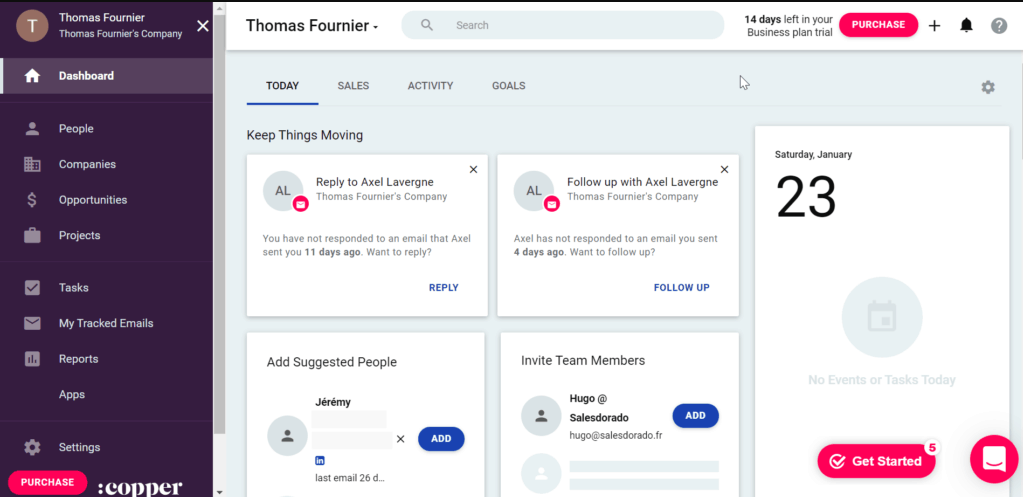
Copper lives inside your Gmail inbox, making it the most deeply integrated CRM for Google Workspace users. Formerly known as ProsperWorks, Copper was built for Google Workspace. The Chrome extension lets you manage contacts, view deal pipelines, and access calendar details without leaving Gmail.
Best for: Small to medium businesses that want CRM functionality without leaving their email inbox. Particularly strong for teams that prioritize ease of use and minimal context-switching.
Key features
Native Google Workspace integration: Seamless connection with Gmail, Google Calendar, Google Drive, and Google Contacts
Automatic data capture: Extracts contact information from emails and automatically logs interactions
Chrome extension: Full CRM functionality accessible directly from Gmail and Google Calendar
Meeting context in calendar: Hover over any calendar event to see the complete customer history and files
Workflow automation: Automated follow-ups, task creation, and deal updates
Pricing
Starter: $12/seat/month
Basic: $29/seat/month
Professional: $69/seat/month
Business: $134/seat/month
Calendly
Source: Calendly
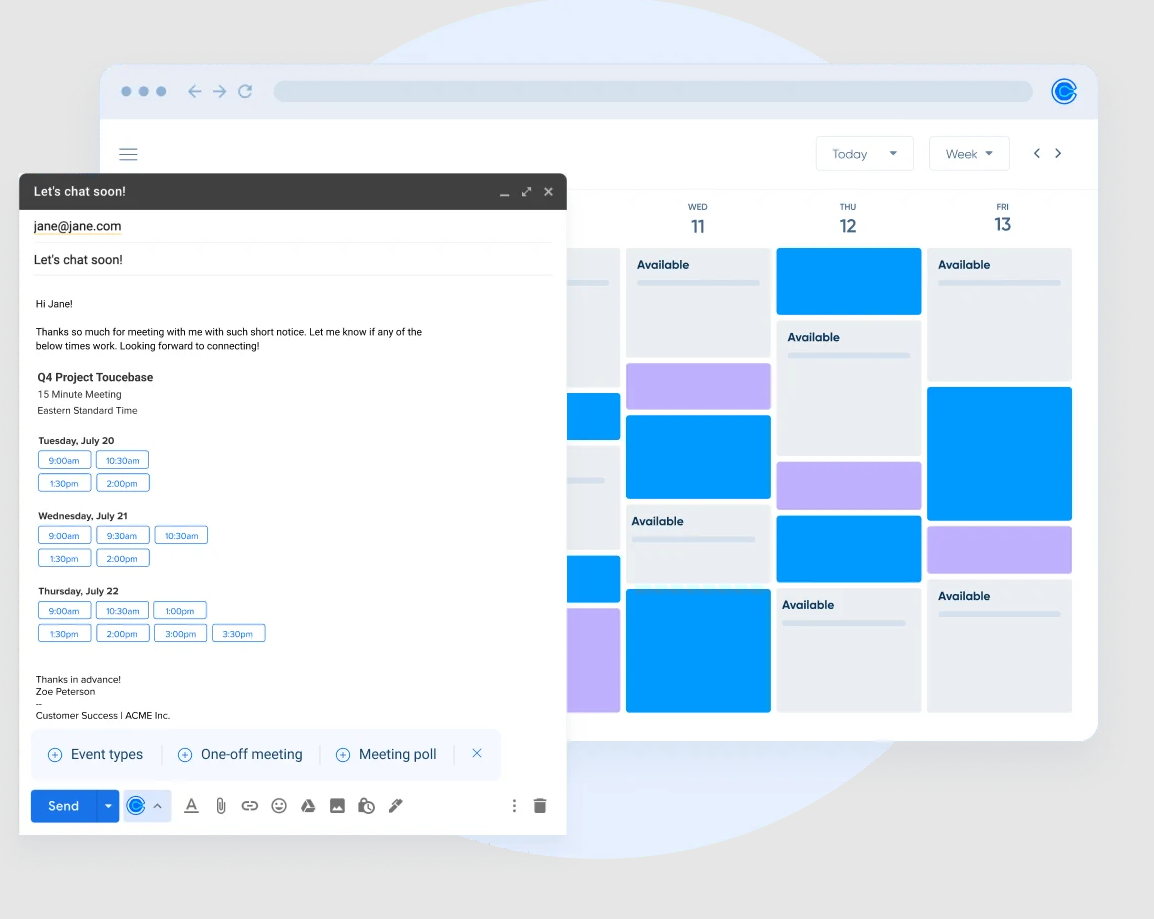
Calendly is mainly for scheduling automation, sharing availability and letting clients book their own time slots.
While not a full CRM, Calendly integrates with Google Calendar to eliminate scheduling back-and-forth. You can share your personalized booking link, and invitees choose from your available time slots. The system automatically blocks time in Google Calendar, sends confirmations and handles reminders.
Best for: Consultants, sales teams and service professionals who need simple appointment scheduling without full CRM overhead.
Key features
Automated scheduling: Share booking links
Multiple calendar connections: Sync multiple calendars and other business tools, including payment collectors
Team scheduling: Round-robin distribution and collective availability for team bookings
Buffer times: Automatic breaks between meetings for burnout prevention
Google Meet integration: Automatically add video conference links to scheduled meetings
Pricing
Free plan (1 event type, basic features)
Standard: $12/user/month
Teams: $20/user/month
Enterprise: From $15,000/year
Less Annoying CRM
Source: PCMag
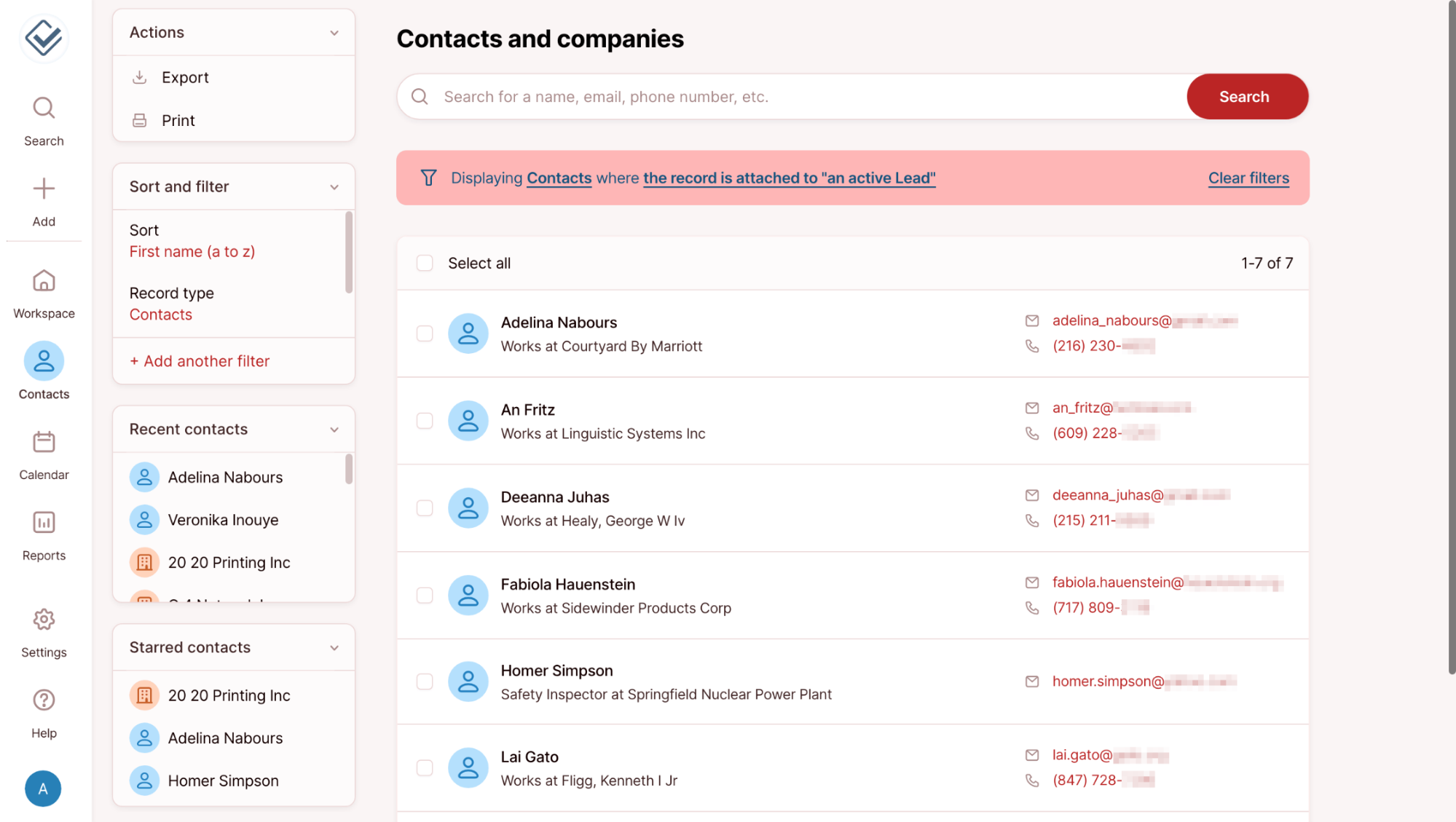
Less Annoying CRM is for small businesses frustrated with bloated enterprise CRMs. It provides contact management, pipeline tracking, and calendar integration in a clean interface. The Google Calendar integration creates a two-way sync—events added in either location appear in both. This keeps your personal and work calendars coordinated while maintaining complete client interaction history in the CRM.
Best for: Small businesses and solo entrepreneurs who want a simple CRM functionality without enterprise complexity.
Key features
Built-in calendar: Native calendar that syncs bidirectionally with Google Calendar
Simple contact management: Unlimited contacts with customizable fields and tags
Pipeline tracking: Visual sales pipeline with drag-and-drop deal movement
Task management: Daily email digests with upcoming tasks and reminders
Pricing
$15/user/month + tax flat rate
Agile CRM
Source: G2
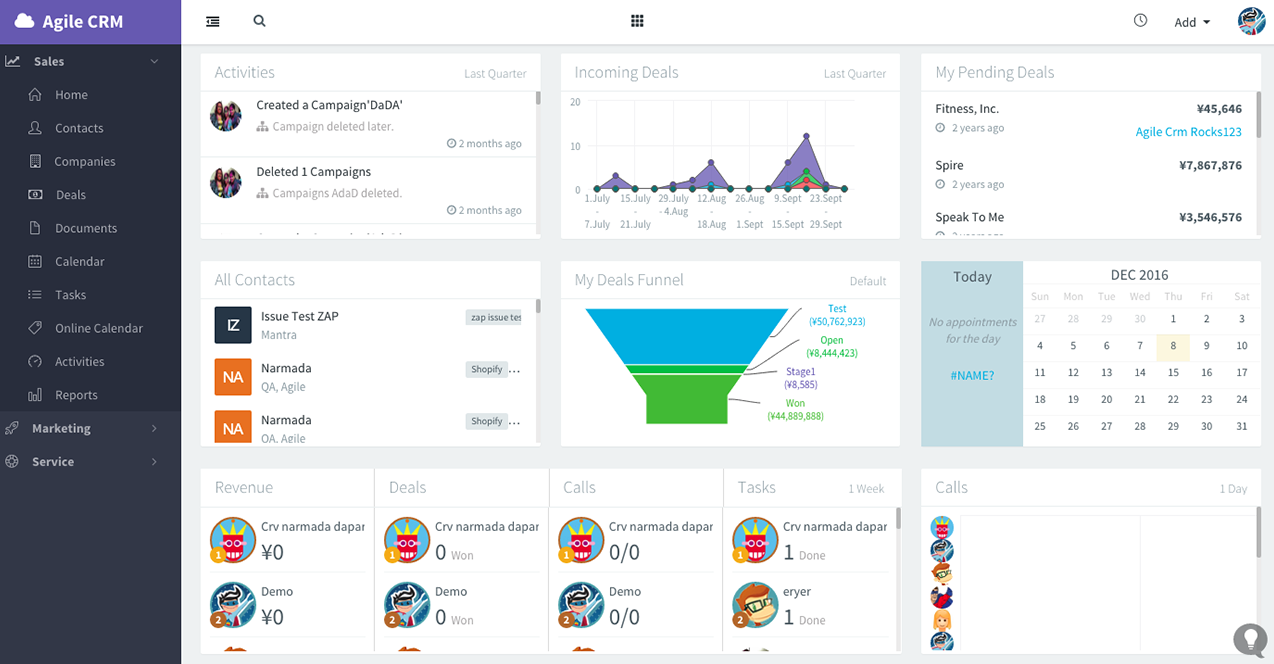
Agile CRM combines sales, marketing and service automation. It includes contact management, helpdesk functionality and calendar integration. The Google Calendar integration allows you to schedule appointments directly from contact records, with automatic calendar blocking and email confirmations sent to attendees. You can decide which team members get notified for each appointment type.
Best for: Small businesses wanting an all-in-one platform. Good fit for teams ready to graduate from spreadsheets, but not for enterprise software.
Key features
Marketing automation: Email campaigns, landing pages, and lead scoring
Sales tracking: Deal pipelines, appointment scheduling and Google Calendar sync
Service automation: Built-in helpdesk with ticket management
Web engagement: Tracks visitor behavior and triggers automated responses
Telephony integration: Built-in calling with call logs synced to CRM
Pricing
Free plan for up to 10 users (limited features)
Starter: $14.99/user/month
Regular: $49.99/user/month
Enterprise at $77.99/user/month
Nutshell
Source: Nutshell
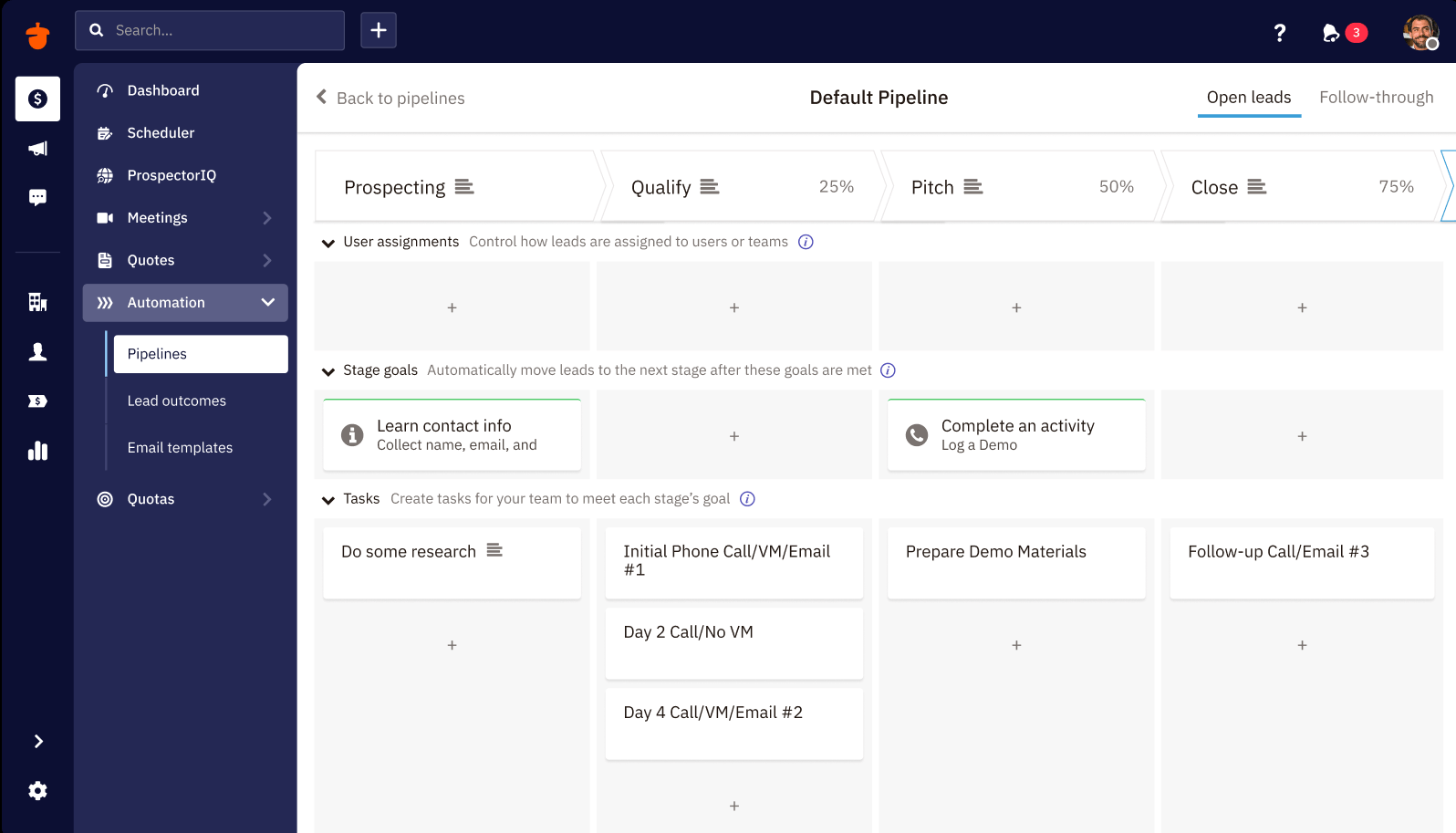
Nutshell provides B2B sales automation. It combines pipeline management, email automation and detailed reporting. Nutshell automatically logs calendar events to contact records and provides sales activity insights based on meeting frequency and outcomes.
Best for: B2B sales teams that need sales automation, forecasting and reporting. Works well for longer sales cycles.
Key features
Visual sales pipelines: Customizable stages with drag-and-drop deal management
Email automation: Sequences, templates and tracking integrated with Gmail
Power dialer: Built-in calling with automatic activity logging
Advanced reporting: Sales forecasting, pipeline analysis and team performance metrics
Calendar integration: Two-way sync with Google Calendar, including meeting notes
Pricing
Foundation: $19/user/month
Growth: $32/user/month
Pro: $49/user/month
Business: $67/user/month
Enterprise: $89/user/month
Happoin
Source: Happoin
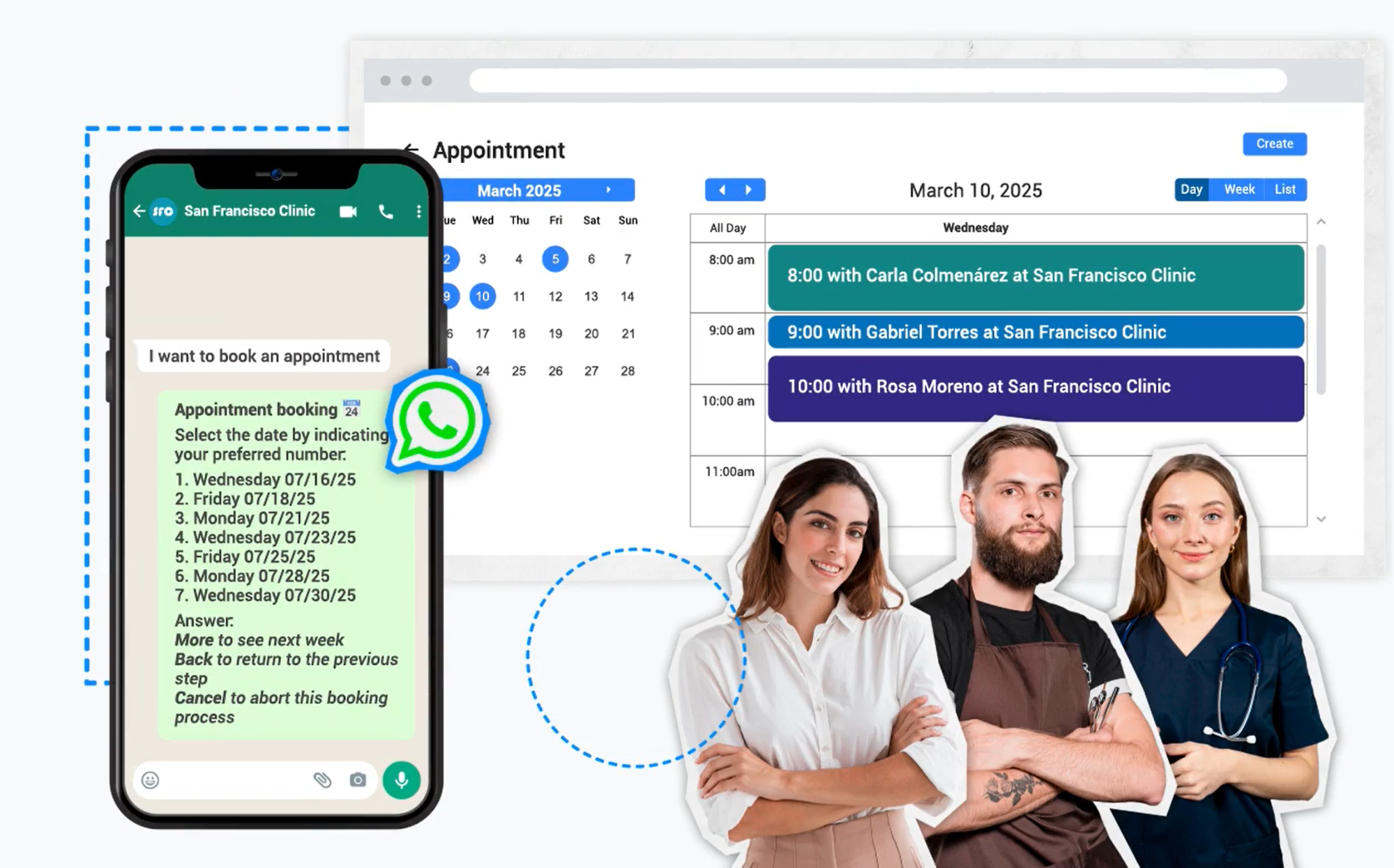
Happoin specializes in appointment scheduling for healthcare and service businesses.
A focused scheduling solution that handles appointment booking, reminders and patient management with Google Calendar integration.
Best for: Small healthcare practices and service businesses needing straightforward appointment scheduling with reminder automation.
Key features
Google Calendar integration: Two-way sync automatically updates both your calendar and Happoin when appointments are booked or modified
Online appointment booking: Patient-facing booking portal with real-time availability checks and instant confirmations
Automated reminder system: Reminders sent at customizable intervals
Patient management database: Patient history, contact details and appointment records
Multi-provider scheduling: Coordinate calendars across multiple locations and healthcare providers with conflict prevention
Waitlist automation: Automatically notify patients when earlier appointment slots become available
Pricing
Happoin pricing is based on the features you need and the number of users. There are also quite expensive AI plugins available that handle WhatsApp support and booking.
Jane App
Source: Jane App
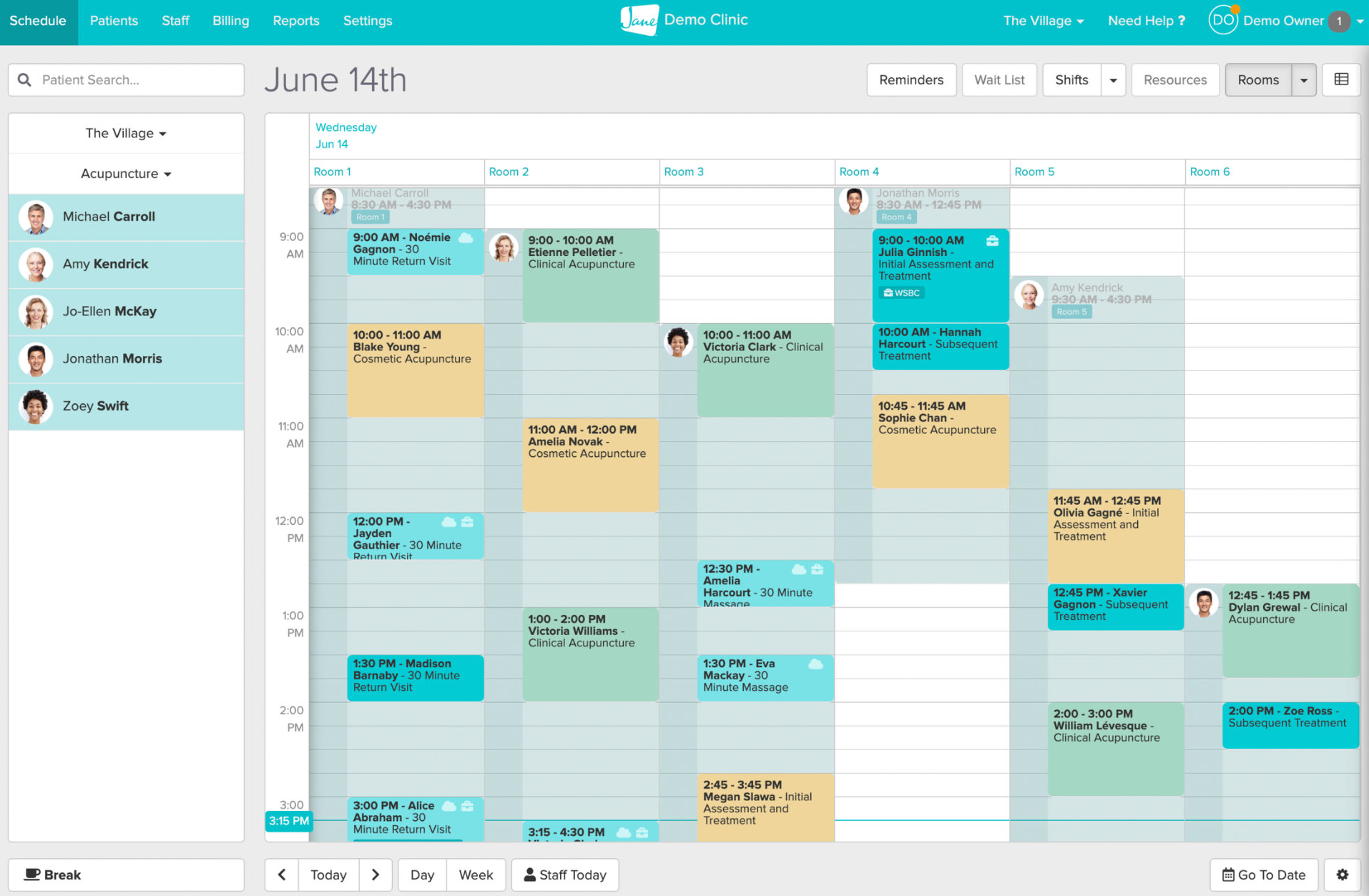
Jane App provides comprehensive practice management software for health and wellness practitioners. It handles booking, charting, billing and communication.
Best for: Health and wellness practitioners who need practice management plus scheduling; multi-practitioner clinics requiring coordinated calendars.
Key features
Online booking widget: Embeddable scheduling tool that lets clients book directly from your website while checking your Google Calendar availability
Integrated clinical charting: Document treatment notes, create care plans and track patient progress directly within appointment records
Insurance and payment processing: Handle billing, insurance claims and payment collection with automatic receipt generation
Multi-channel appointment reminders: Automated email and SMS reminder templates with customizable timing and messaging
Telehealth integration: Built-in video consultation capabilities with automatic calendar blocking and patient notifications
Pricing
Balance: $54/month
Practice: $79/month
Thrive: $99/month
Confirmafy
Source: Confirmafy
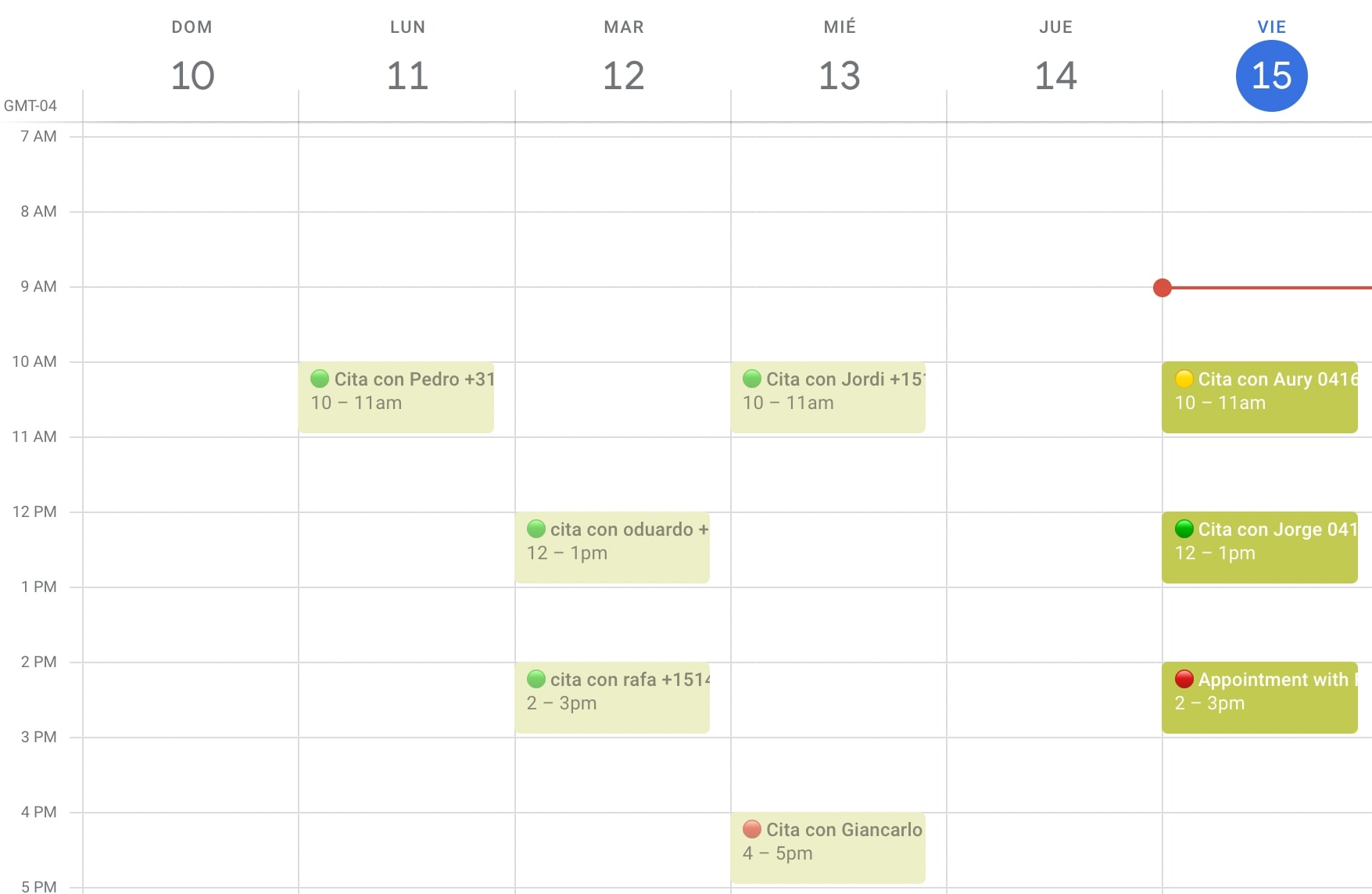
Confirmafy is for appointment confirmation and reminder services. It lets you send automated confirmation requests and reminders, with a calendar integration for scheduling management.
Best for: Service businesses with high appointment volumes. Works as a companion to existing scheduling systems.
Key features
Calendar platform integration: Connects with Google Calendar and other scheduling platforms to pull appointment data
Two-way confirmation system: Sends automated confirmation requests and processes patient responses to verify attendance
Multi-channel reminder campaigns: Delivers SMS and email reminders at intervals with customizable message templates for different appointment types
No-show analytics: Track confirmation rates, no-show patterns and campaign performance with detailed reporting
Automated follow-up sequences: Trigger different reminder frequencies based on appointment type or patient history
Pricing
$12 for up to 50 appointments
$18 for up to 100 appointments
$31 for up to 200 appointments
Custom pricing for more
Choosing your ideal CRM-calendar solution
Your CRM and calendar integration should automate the tedious parts while keeping your team focused on customer relationships.
For healthcare and wellness businesses capturing leads through social media, Chatfuel is the top choice. The platform doesn't just sync calendars—it combines an AI agent for customer engagement with appointment automation, handling everything from initial message to post-appointment follow-up, including reschedules and cancellations. This integration of chatbot technology and calendar management reduces manual work while improving show-up rates.
Ready to stop losing money on missed appointments? Start your Chatfuel trial and see how AI-powered scheduling automation transforms your booking process.
FAQs
What's the difference between native Google Calendar integration and third-party connectors?
Native integration means the CRM was built specifically to work with Google Calendar, with features like automatic syncing, direct access from Gmail, and deep visibility into calendar events within the CRM.
Third-party connectors use tools like Zapier to bridge the gap between systems. These work but often require more setup, may have sync delays, and typically offer less seamless experiences.
Can I use Google Calendar as a CRM?
Google Calendar alone isn't a CRM. While you can add contact information to calendar events and set reminders, you can't track deal pipelines, manage sales activities, automate follow-ups or generate reports.
Is Google Sheets a good CRM?
Google Sheets can function as a very basic contact database, but it lacks features that make real CRMs valuable: automated activity logging, pipeline visualization, email integration, mobile apps and calendar syncing. You can open a spreadsheet and save contact details, but you'll quickly hit limitations.
What does Google Calendar integrate with?
Google Calendar integrates with hundreds of business tools, including CRM platforms (Chatfuel, Salesforce, HubSpot, Pipedrive, Zoho CRM, Capsule CRM), communication tools (Slack, Zoom, Microsoft Teams, Google Meet), project management software (Asana, Trello, Monday.com), and scheduling assistants (Calendly, Acuity).
The quality and depth of integration vary—native connections typically provide the best experience. Before you sign up for any new tool, research its Google Calendar capabilities and read user reviews to ensure it meets your needs.