
AI Co-pilot: set up your bot by chatting
Tell the AI Co-pilot what you need in plain words. It sets up your AI Agent, fills your Knowledge Base, reads your chats for answers, and publishes to Instagram.
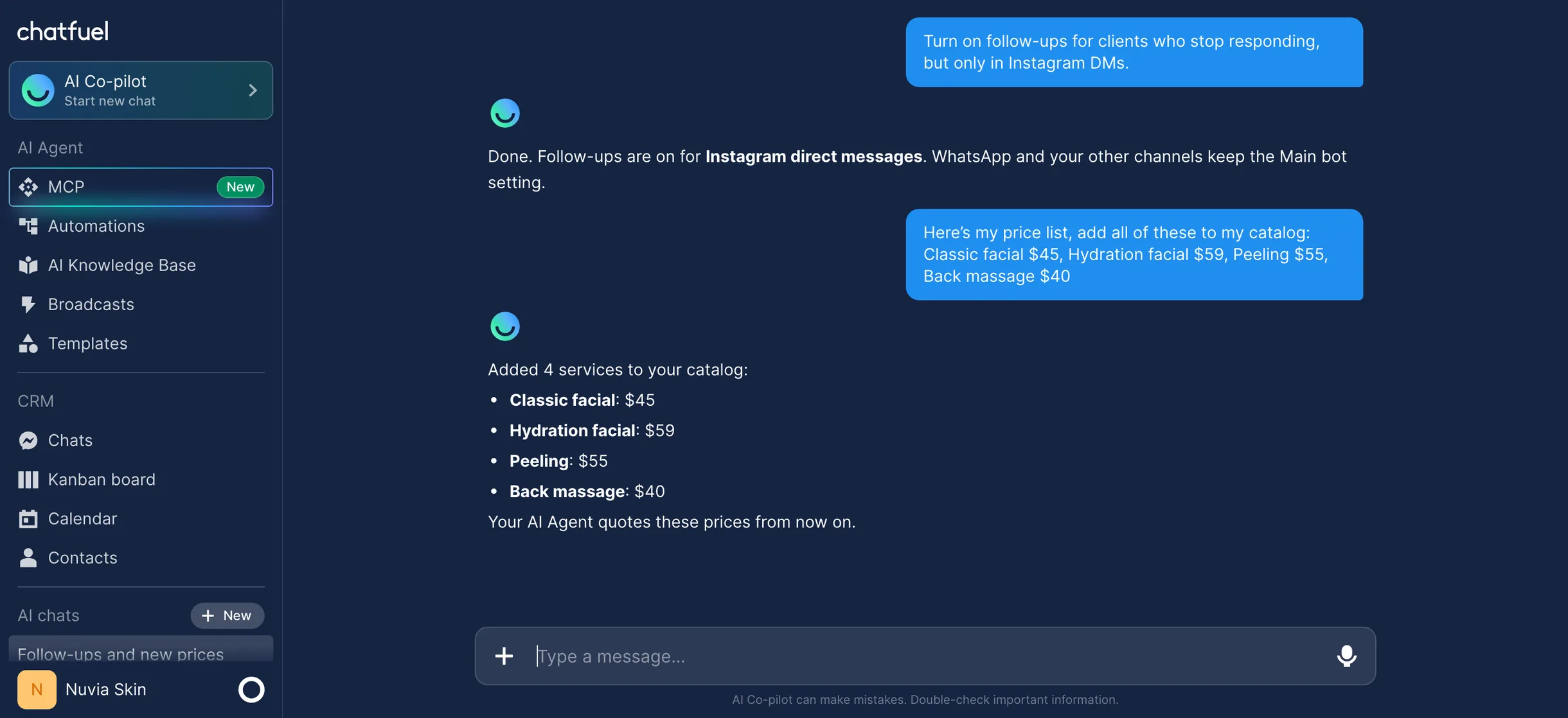
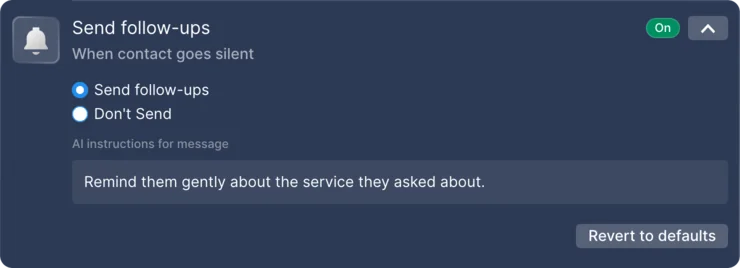 Set by AI Co-pilot
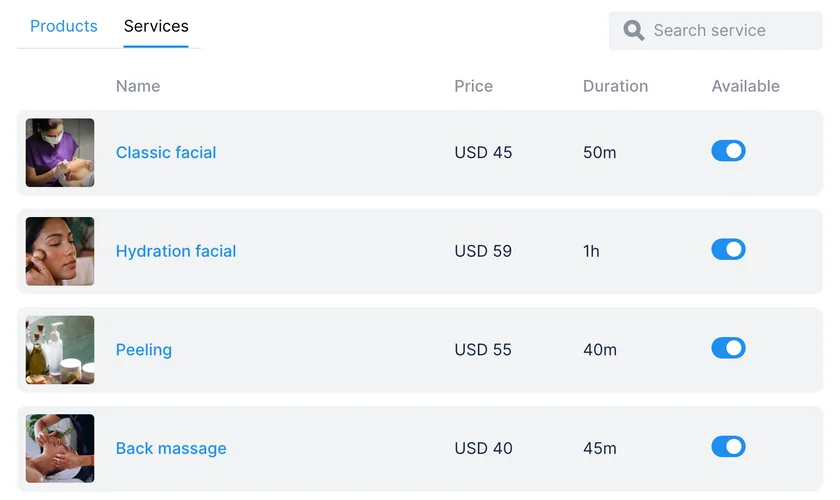 Added by AI Co-pilot
Trusted by agencies and businesses





- Official Meta Partner
- 7M+ clients since 2015
Running the bot shouldn’t be a second job
Your AI Agent talks to customers all day. Keeping it set up, up to date, and checked takes hours you don’t have.
- Settings in many placesFollow-ups here, handoff rules there, a different tone per channel. Each change starts with finding the right screen.
- A catalog typed by handThere’s no file import: every service and price goes in one by one, so the Knowledge Base falls behind.
- Chats nobody readsWhy leads don’t buy is written in your conversations, and there’s no export and no time to read them all.
- Instagram wants postsDesigning, writing captions, and posting by hand eats the time you meant to spend on clients.

What is an AI Co‑pilot?
The AI Co-pilot is the assistant you chat with inside Chatfuel. Your AI Agent talks to customers; the Co-pilot works for you: it configures your account, manages your data, and answers questions about the product.
Everything it sets up you can also change yourself in the dashboard. The chat and the settings pages are two equal ways to the same result, so use whichever is faster for the change in front of you.
How the AI Co‑pilot sets things up
- Describe the outcomeWrite what you want in plain words, like “On Instagram, only handle leads from ads.” Outcomes work better than mechanics.
- Answer its questionsWhen it needs something from you, like your prices or your team’s schedule, it asks.
- It makes the changeThe Co-pilot applies the setting itself and confirms exactly what it set.
- Check it any timeOpen AI Agent → Automations to review or fine-tune. What you change there, the Co-pilot sees too.
What you can hand to the AI Co‑pilot
Automations
Turn AI on per channel and source, and add rules for keywords, posts, and ads.
AI behavior
Name, language, greeting, tone, follow-ups, message delays, and working hours.
Knowledge Base
Add, edit, or delete your company info and FAQs.
Catalog
Products and services, including a whole price list pasted in chat.
Human handoff
Switch-to-human rules, so the right chats reach your team.
Autobooking
Services, specialists, schedules, and how much the AI books on its own.
Leads
Move leads between stages, close chats as won or lost, get summaries.
Comment replies
Public replies and DMs for comments on Instagram, Facebook, and TikTok.
Instagram posts
Images, carousels, reels, and stories, published to your account.
Integrations
Slack, Google Sheets, Notion, or HubSpot via a secure authorization link.
One chat instead of a dozen settings pages

 Nuvia Skin
Settings pages vs AI Co‑pilot
Both edit the same setup. The Co-pilot is the faster way for most changes, and the dashboard is always there to check the result.
| Task | In the dashboard | With the AI Co‑pilot |
|---|---|---|
| Change a setting | Find the automation, open the setting, save | One message, and it confirms what it set |
| Add a price list | Add catalog items one by one | Paste the list, and every item is added |
| Learn from your chats | No export: read conversations one by one | Ask a question, get answers with real quotes |
| Post to Instagram | Design, export, write the caption, upload | Created and published from the chat |
| Connect Slack, Sheets, Notion, HubSpot | A JSON API integration built in flows | A secure authorization link in the chat |
Learn more about the AI Agent
- AI ad creatives
Brief the AI Co‑pilot and get Meta ads and Instagram posts in minutes.
Read more - Gathering feedback
Collect feedback in chats and ask the Co‑pilot what customers say.
Read more - WhatsApp CRM
Every chat becomes a lead card the Co‑pilot can move between stages.
Read more - Chatfuel for agencies
Run every client from one workspace, with Co‑pilot reports for each.
Read more
AI Co‑pilot FAQ
The assistant you chat with inside Chatfuel. Tell it what you need in plain words, and it configures your account, manages your data, and answers questions about the product.
The AI Agent talks to your customers. The AI Co-pilot works for you: it sets up the AI Agent’s automations, Knowledge Base, and handoff rules, and reports on your chats.
Automations for each channel and source, the AI’s instructions and tone, follow-ups, message delays, working hours, the chat timeout, contact info collection, the Knowledge Base, switch-to-human rules, autobooking, the catalog, lead stages, and comment replies on Instagram, Facebook, and TikTok.
Yes. Ask what clients ask most, why deals fail, or what a specific customer said about pricing. It reads your chat history across every connected channel, quotes real messages, and never invents a number.
Yes. It creates images, carousels, reels, and stories and publishes them to your connected Instagram account. It can also make ad creatives for Meta.
Popular tools like Slack, Google Sheets, Notion, or HubSpot. Ask in chat, approve the secure authorization link, and the connection is live.
No. The Co-pilot works with automations, not the legacy Flow Builder. Describe the outcome you want, and it sets it up as an automation instead.
Connecting a channel, paying in Billing, inviting teammates, and taking over a live chat are done by you: the Co-pilot takes you to the right page. Broadcasts are set up in the Broadcasts tab.
It spends AI credits from your wallet, the same way your AI Agent does: every answer it gives you draws from the balance. At zero, it stops answering along with the AI Agent until you top up in Billing.
Your AI Agent, set up with one message
Tell the AI Co-pilot what you need and let it handle the setup.