 Chatfuel
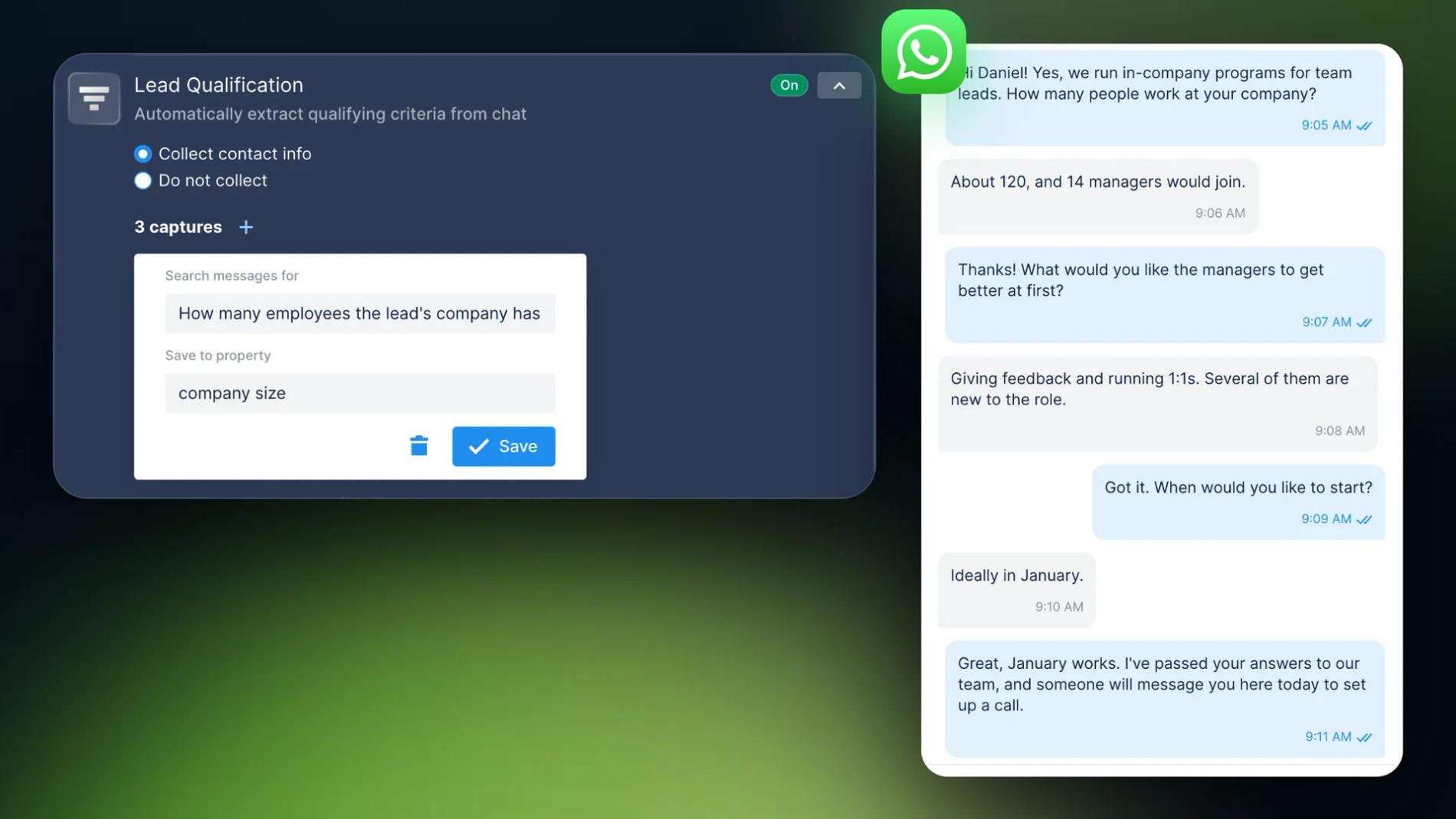
A company writes to you on WhatsApp: "Do you run programs for teams?" Your salesperson can call back right away, or first find out how big the company is, what it needs and when it wants to start. If they ask first, sales calls go only to the leads that fit. On WhatsApp nobody has to do that first step by hand. An AI Agent answers in seconds, asks a few questions one at a time, saves the answers and hands the chat to sales once the lead is qualified.
Below is the setup in Chatfuel's AI lead qualification, with the questions worth asking a B2B lead and the point where a person should take over.
Why qualify on WhatsApp before the call
The lead is already in the chat. They came from an ad that opens WhatsApp, a button on your site or a QR code at an event. Asking your questions right there takes a minute. Nobody fills in a form or trades emails just to set up a call.
- Calls go to the leads that fit. Someone who only wanted a price gets the price. A 120-person company that wants to start in January gets your best rep.
- Nights and weekends are covered. The AI Agent replies at once. In the morning your team opens the qualified chats and the answers are already there.
- The 24-hour window is open. On WhatsApp you can write freely for 24 hours after the lead's last message. After that, only approved templates go through (Meta's rules). So ask while the lead is still in the chat.
What to ask a B2B lead
The usual starting point is BANT: budget, authority, need and timeline. In a WhatsApp chat, keep it to three or four questions. Start with three. You can always add more later.
| Property to save | What the AI Agent looks for | Why sales needs it |
|---|---|---|
| company size | How many employees the lead's company has | The size of the deal and who takes the call |
| need | What the company wants to solve first | The call starts from their problem |
| timeline | When the company wants to start | Who to call this week |
| decision maker | Whether the lead decides, or who else does | Who has to be on the call |
| budget | The budget the lead mentions, if any | Whether a plan fits |
A few rules keep the chat from reading like a form:
- One question per message. Start with what they need, then size and timing.
- Give a reason for personal questions. "How many people would join? It helps me suggest the right program" gets more answers than a bare question.
- Ask about budget last, or let it come up. Many B2B leads won't name a number before a call, and that's fine.
For complex enterprise deals, MEDDIC goes deeper: metrics, the economic buyer, decision criteria and process. Leave that for the call. All the chat has to settle is whether the call should happen.
How to set it up in Chatfuel
- Connect your WhatsApp number. If you already use the WhatsApp Business app, Chatfuel can connect that number and you keep using the app as before.
- Tell the AI Agent what you sell. In AI Knowledge Base › General information, add your services, prices and how a sale works, so the AI Agent can answer questions while it qualifies.
- Turn on Lead Qualification. Open Automations › AI Agent, find Lead Qualification and choose Collect contact info. Add one capture per question: in Search messages for, describe what to find; in Save to property, name the property it fills (how it works).
- Tell the AI Agent to ask. By default it fills the fields from what the lead says. To make it ask, write the order in the automation's AI instructions, for example: "Ask one question per message: what the company needs, how many employees it has, when it wants to start. Then thank them."
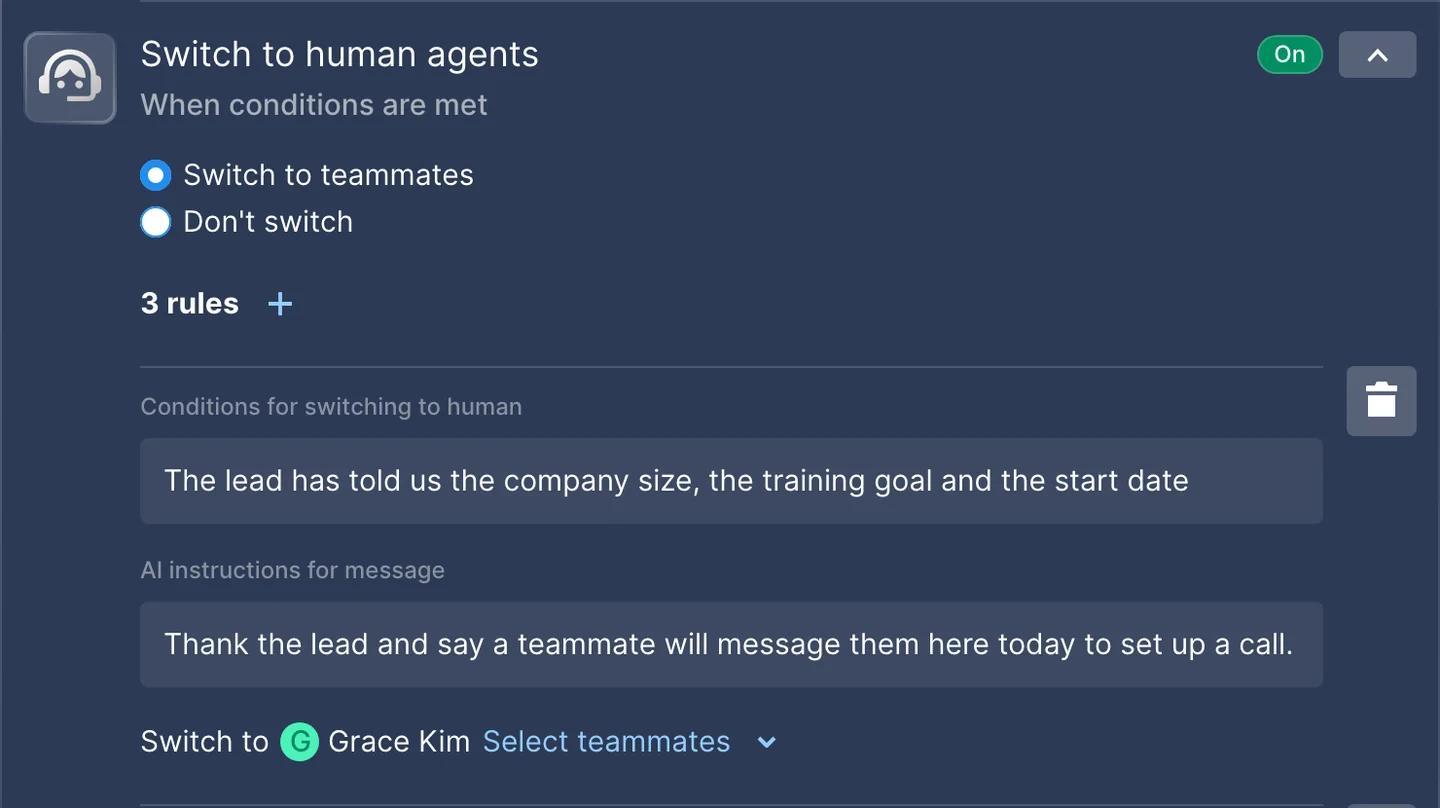
- Hand qualified leads to sales. In Switch to human agents, choose Switch to teammates and add a rule. In Conditions for switching to human, write "The lead has told us the company size, the goal and the start date". In Switch to, pick the salesperson.
- Test it. Run the automation in the test chat with a made-up lead before you turn it on.
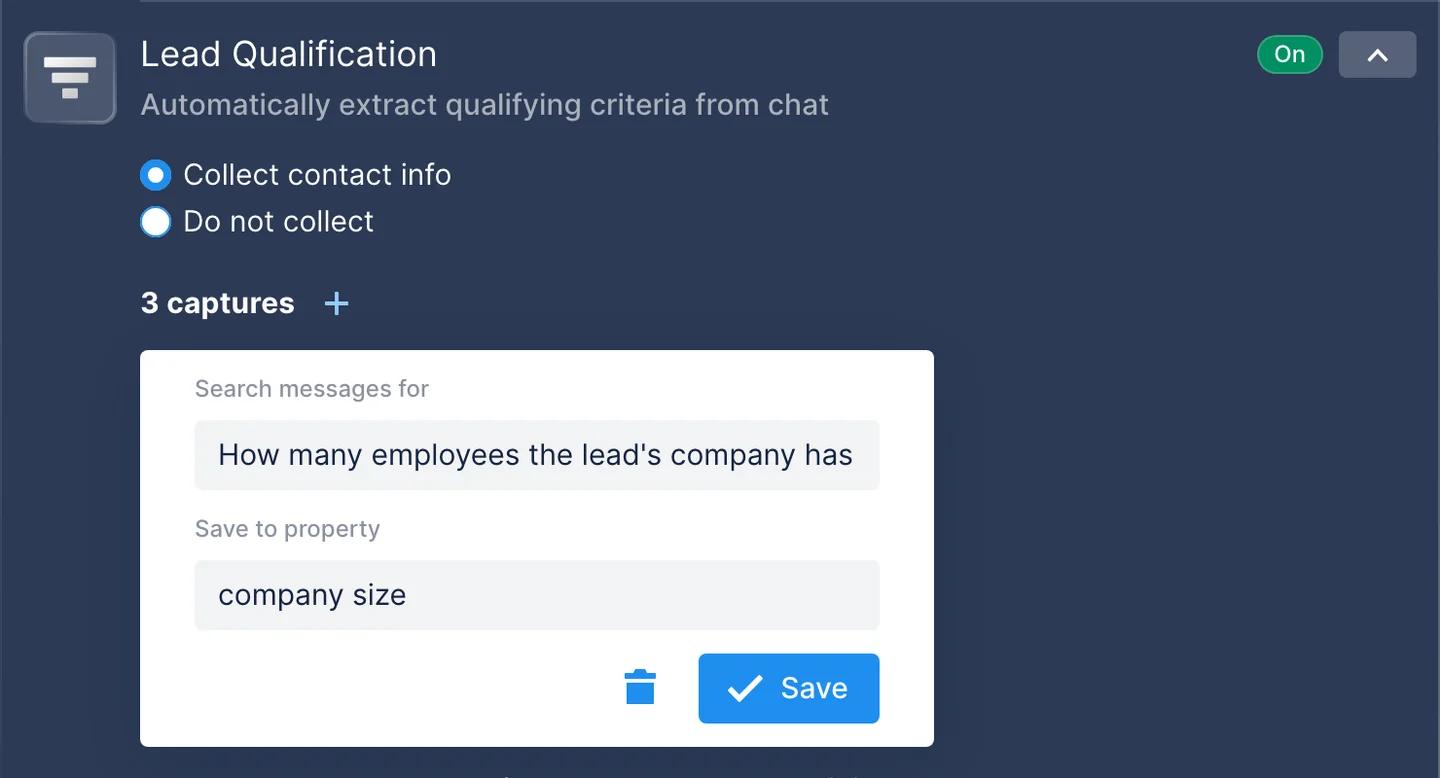
There's no score to tune: a lead counts as qualified once every field has an answer (qualifying questions and logic).
Hand qualified leads to sales
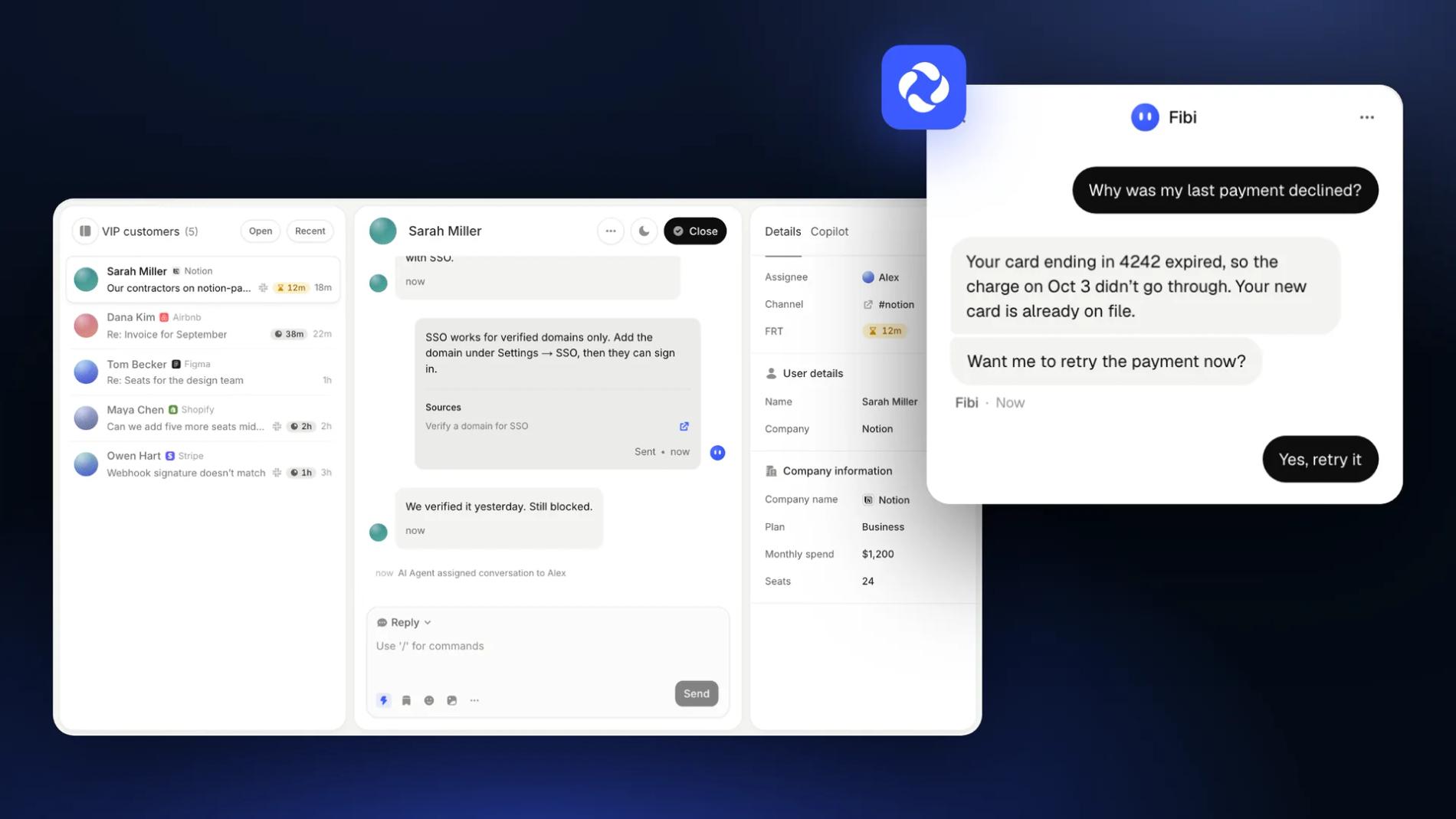
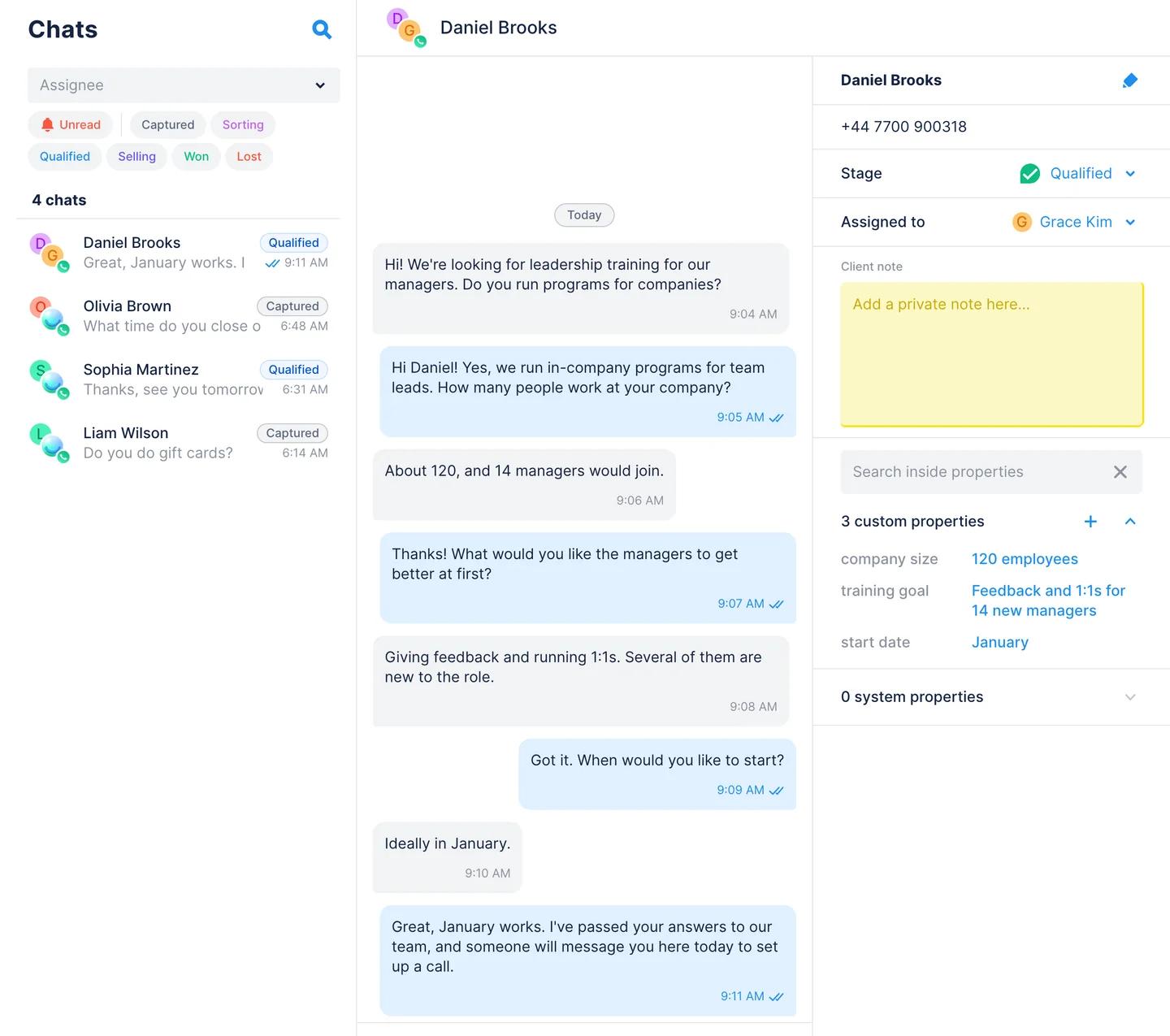
When the rule fires, the chat moves to the teammate you picked, or to the shared team inbox. The answers are saved as properties on the contact card, and the lead moves from Sorting to Qualified on the Kanban board, Chatfuel's WhatsApp CRM. The salesperson replies in the same WhatsApp chat and can scroll up to read everything the lead said.
- Route by the answers. A rule can use any detail from the conversation, so companies with 200+ employees can go to your enterprise rep and the rest to the team (up to 20 rules per automation).
- Get notified. Web notifications and the Chatfuel mobile app tell your team about new chats.
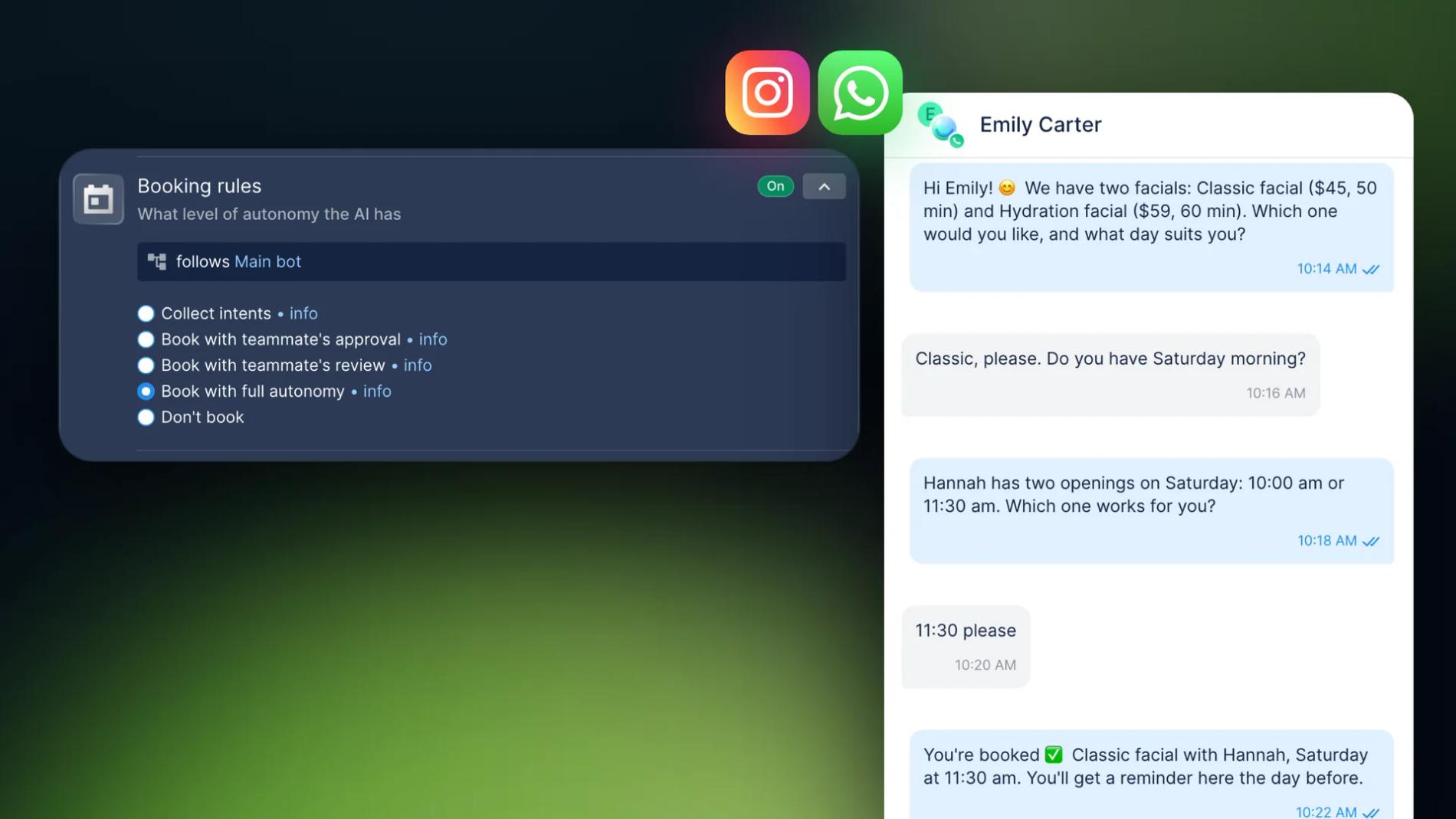
- Book the call in the chat. Add your booking link to AI Knowledge Base so the AI Agent can share it, or let it book in the Chatfuel Calendar with Booking rules. With Book with teammate's approval, a salesperson confirms each slot. WhatsApp reminders go out a day and two hours before.
High-ticket leads: fewer gates, a person sooner
The bigger the deal, the sooner a person should step in. A buyer comparing three vendors doesn't want a long quiz.
- Add a rule for buying signals. "The lead asks for a quote, a contract or an invoice" goes straight to a senior rep, whatever has been answered so far.
- Ask fewer, sharper questions. Need and timeline matter more than an exact headcount, and the rep can get the rest on the call.
- Say what happens next. Tell the AI Agent to name the next step in its last message: "a teammate will message you here today to set up a call".
- Don't turn small leads away. For a company too small for your sales team, the AI Agent can point to your self-serve plans or pricing page instead of a call.
Leads who go quiet
Some leads answer two questions and stop. Turn on Send follow-ups in the automation: the AI Agent can send up to two follow-ups when a contact goes silent, inside the 24-hour window.
After 24 hours, only an approved template can restart the chat. In Broadcasts, create a re-engage message and send it From segment, for example to leads who reached Sorting but never qualified. Meta doesn't deliver marketing templates to US phone numbers (per-user limits), so plan US follow-ups inside the window.
What to measure
- Watch the funnel. Count how many leads reach Captured, Sorting and Qualified on the Kanban board each week, and how many of the qualified ones book a call.
- Ask the AI Co-pilot. Questions like "how many qualified leads this month?" or "show the conversion funnel" return the counts from your account.
- Tell Meta which leads were qualified. If your leads come from WhatsApp ads, send conversion events to Meta when a chat is switched to a person, so the ads look for more leads like them.
- Send leads to your CRM. Developers can move contacts and their properties to your CRM through the Public API.
See also: AI Lead Qualification: Automate Sales in Minutes
Checklist
- Three or four questions: need, company size, timeline, and decision maker or budget.
- One capture per question in Lead Qualification, with a clear Search messages for.
- AI instructions that make the AI Agent ask, one question per message.
- A Switch to human agents rule that fires when every answer is in, and one for quotes and contracts.
- A booking link or Booking rules for the call.
- Send follow-ups on, and a re-engage template for leads who go quiet.
FAQs
How do I qualify B2B leads on WhatsApp automatically?
Connect your WhatsApp number to Chatfuel and turn on Lead Qualification with one capture per question, such as company size, need and timeline. Tell the AI Agent to ask one question per message, and add a Switch to human agents rule that hands the chat to a salesperson once every answer is in.
How does AI lead qualification work on WhatsApp?
The AI Agent replies to every new message and asks your questions as part of the conversation. Each answer goes into a property on the contact. When all the answers are in, the lead moves to Qualified on the Kanban board and the chat goes to your team with everything the lead said.
Can a chatbot qualify leads before a sales call?
Yes. An AI chatbot can ask about need, company size and timing before anyone picks up the phone, then hand the chat to a salesperson or share your booking link. The call starts from what the lead already told you, and leads that don't fit get an answer without taking a slot.
How does AI pre-qualify leads before a call?
It asks a short set of questions you choose, usually three or four based on budget, authority, need and timeline, and checks the answers against your rules. A rule like "the lead has told us the company size, the goal and the start date" decides when the chat goes to a person.
How do I qualify high-ticket leads automatically?
Ask fewer, sharper questions and hand the chat to a person earlier. When a question is personal, say why you're asking. Add a rule that sends leads asking for a quote or a contract straight to a senior rep, and let the AI Agent qualify the rest. In Chatfuel there is no score to tune: a lead is qualified once every field has an answer.