


Connect Chatfuel MCP with Make MCP
Your Make scenarios become tools the assistant runs with what customers wrote in WhatsApp, Instagram and your other chats. What a scenario sends back, like a new post's link or your service list, sets up comment replies and booking in Chatfuel without leaving the assistant.
What the integration can do
Tools the assistant calls on each side, named as the servers name them.
| Tool | What it does |
|---|---|
list_chats | Lists customer chats with their channel, status and lead stage. |
get_chat | Returns the latest messages of one customer chat with its channel, status and lead stage. |
list_posts | Lists recent posts and reels of the Instagram account and the Facebook Page connected to your bot. |
setup_comment_replies | Sets up AI or fixed replies to comments, for all of them or by keyword; on Instagram and Facebook also a DM and a choice of posts. |
get_knowledge_base | Returns what the AI Agent answers from: company info, instructions, business hours, FAQ, services and specialists. |
setup_booking | Adds or updates bookable services and specialists, so the AI Agent books customers in the chat. |
test_reply | Sends a sample customer message to a sandbox chat and returns the AI Agent's reply. |
send_chat_message | Sends the text you approved to a customer in their chat and moves the chat to live chat. |
| Tool | What it does |
|---|---|
scenario_list | Lists your Make scenarios, 25 at most, most recently edited first; narrows them by name, folder or status. |
scenario_get | Shows one scenario: its modules in order, trigger and schedule, connection health and the inputs and outputs it declares. |
scenario_run | Runs a scenario. An on-demand one takes the inputs the assistant fills in and returns the outputs it declares. |
scenario_execution_get | Returns one run's status, outputs and the credits it used, for example a run that took longer than the wait. |
scenario_execution_list | Lists a scenario's recent runs with their status and the error message of each failed one. |
scenario_execution_inspect | Shows how one run went: the error that ended it and every module that ran, with error counts. |
scenario_execution_module_get | Shows the input and output one module of a run actually had, such as the email it was given. |
What to ask the assistant
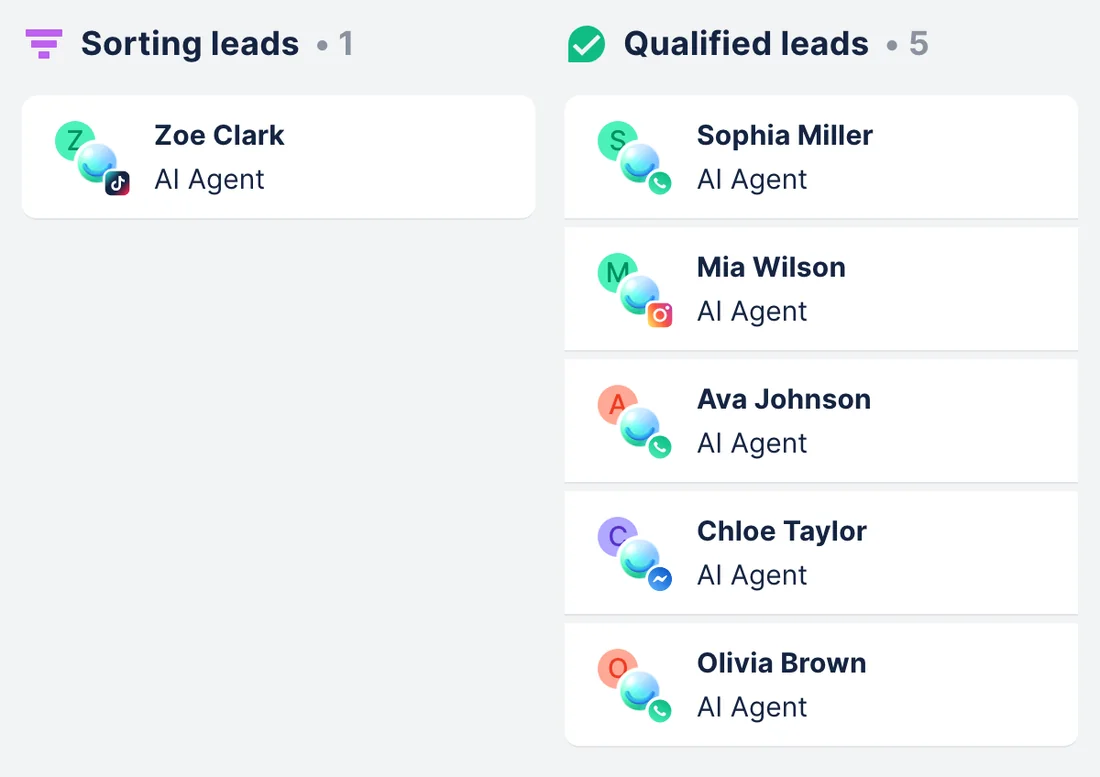
Qualified chat leads → your Make scenario, one run per lead
WhenYour team built a Make scenario that takes a new lead and does the rest: a row in the lead sheet, a contact in the mailing list and a welcome email. It's active, scheduled On demand, and asks for a name, channel, treatment and email.
- Chatfuel MCP finds the chats at the Qualified stage with
list_chats, andget_chatreads each one: the treatment, the day the customer prefers, and an email or phone if they typed it. - Make MCP finds the New chat lead scenario with
scenario_list, andscenario_getshows the inputs it declares, so the assistant knows which fields to fill in. scenario_runstarts the scenario once per lead with those inputs and gets back its declared outputs. On Make's Free plan the scenario appears as a tool of its own, named after it, and the assistant calls that instead.
ResultEvery lead the AI Agent qualified goes through the steps your team set up in Make, with nothing retyped. Each run spends Make credits for the modules it uses.
AskFind this week's qualified leads in our Chatfuel chats and run our Make scenario New chat lead for each one: name, channel, treatment and the email if they typed one.
A post your Make scenario publishes → comment replies with a DM
WhenYour team posts to Instagram through a Make scenario built on Instagram for Business › Create a photo post, and this week's post announces the Hydration facial package.
- Make MCP runs the on-demand Publish Instagram post scenario with
scenario_run: the inputs are a public link to the image and the caption, the output is the new post's link. If the run outlasts the wait,scenario_execution_getpicks up the output when it's done. - Chatfuel MCP finds the new post among your recent Instagram posts with
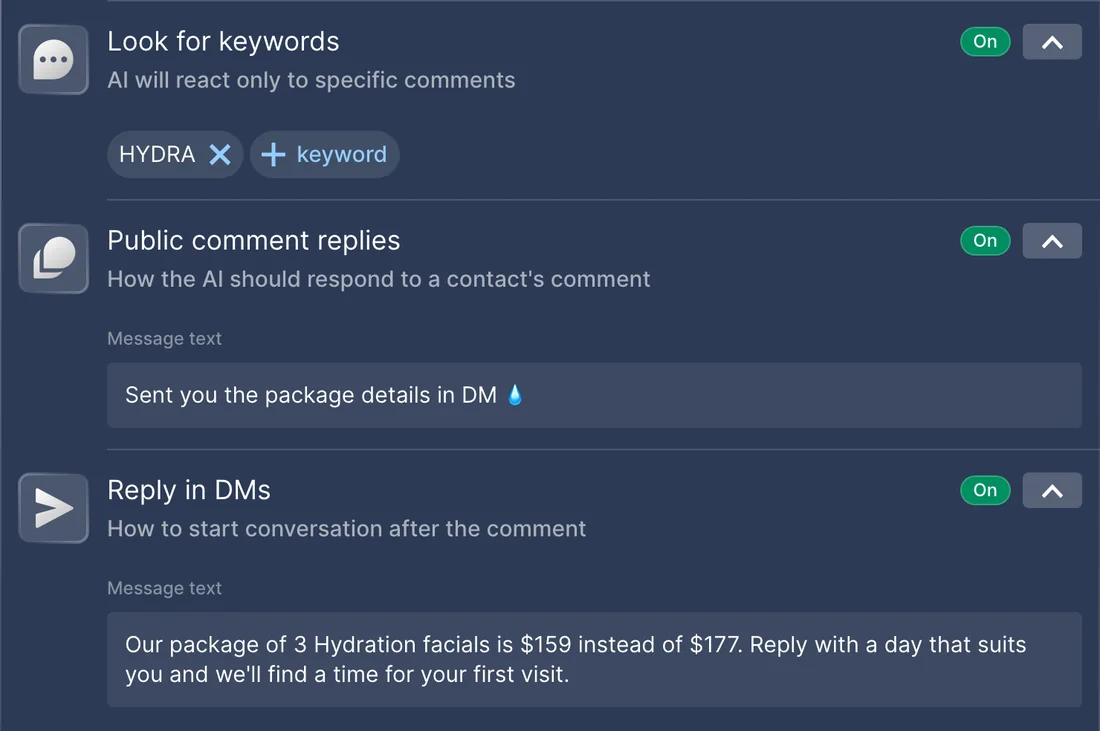
list_posts. setup_comment_repliesties a comment automation to that post and the keyword HYDRA plus a couple of spellings: a short public reply, and a DM with the package of 3 Hydration facials for $159.
ResultFrom the moment the post is live, everyone who comments HYDRA gets a public reply and the offer in their DMs.
AskRun our Make scenario Publish Instagram post with this image link and caption. Then set up Chatfuel replies on the new post: anyone who comments HYDRA gets a short reply and a DM with the package of 3 Hydration facials for $159.
Service list from a Make scenario → services the AI Agent books
WhenYour clinic keeps treatments, prices and durations in an Airtable table, and a Make scenario returns that table on demand. This month the Peeling grew to 60 minutes and a Back massage was added.
- Make MCP runs the on-demand Service list scenario with
scenario_run. Its Return output module sends back every treatment with its price and its length in minutes. - Chatfuel MCP reads the bookable services and specialists with
get_knowledge_baseand compares them with the table. - After your yes,
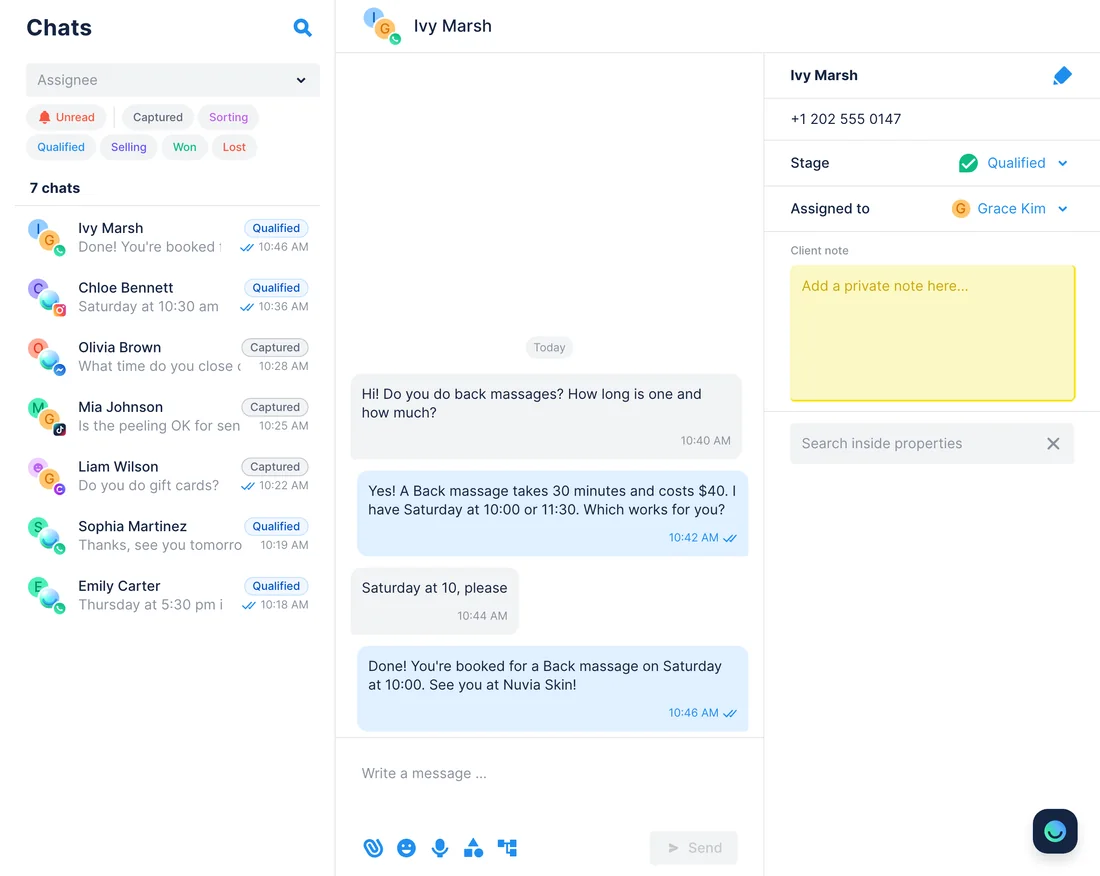
setup_bookingadds the Back massage at $40 for 30 minutes and updates the Peeling, up to 50 services in one call. It deletes nothing, so the assistant names the services missing from the table for you to remove in the dashboard. test_replyasks the AI Agent to book a Back massage in a sandbox chat.
ResultThe AI Agent offers and books the treatments, prices and durations in your table, not last season's list.
AskRun our Make scenario Service list and make the Chatfuel booking services match it: add new treatments, fix prices and durations that changed, and tell me which services aren't in the table. Then test booking a Back massage.
A failed run in Make → the customer is asked for what's missing
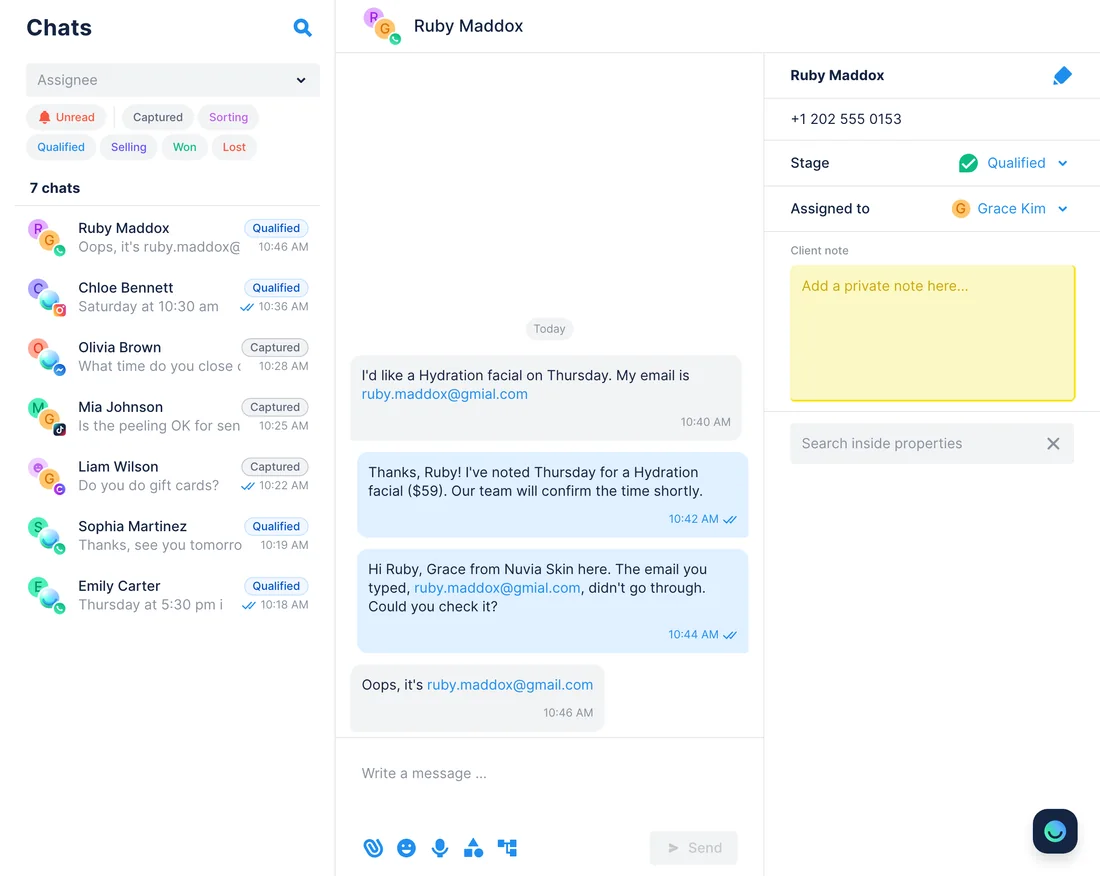
WhenYour New chat lead scenario stopped on a few leads this week because the mailing list app rejected the email the customer typed.
- Make MCP lists the scenario's failed runs with
scenario_execution_list, each with its error message.scenario_execution_inspectshows which module stopped a run, andscenario_execution_module_getshows the email that module received. - Chatfuel MCP finds each customer's chat by name with
list_chats, andget_chatshows what they wrote. - The assistant drafts a short message asking the customer to check the address.
send_chat_messagesends it after your yes, on WhatsApp only within 24 hours of the customer's last message and on Instagram or Messenger within 7 days, and the chat moves to live chat. - When the customer answers,
scenario_runruns New chat lead again with the corrected email.
ResultA typo no longer drops a lead out of your Make process. Reading run history takes the management scopes of a paid Make plan.
AskWhich runs of our New chat lead scenario in Make failed this week, and why? For the leads whose email was rejected, find their Chatfuel chat and draft a message asking them to check it.
How to connect
Connect Chatfuel MCP
Add Chatfuel from Claude's or ChatGPT's directory and log in. In Cursor, point a server entry at https://mcp.chatfuel.com/panel.
Connect Make MCP
Claude finds Make in its connector directory, ChatGPT adds https://mcp.make.com/openai in Developer mode, and Cursor installs Make's plugin. Make's consent screen then asks which organization and scopes the assistant gets.
Get the scenarios ready, then ask
Only active scenarios scheduled On demand reach the assistant. Their description, inputs and outputs tell it when to run each one and what comes back. Chatfuel waits for your yes before it changes the bot or messages a customer.
- In Claude, open Customize › Connectors › Discover, add Chatfuel and log in with your Chatfuel account.
- In the same Discover list, search for Make and click +.
- On Make's consent screen, choose the Organization and the scopes: Run your scenarios works on every Make plan, the scopes to view and modify scenarios need a paid one. Click Allow.
- The first time Claude wants to use a Make tool, choose Allow once or Always allow.
- Chatfuel MCP
- claude.ai/directory/chatfuel
- Make MCP
- From Claude's directory
- In ChatGPT, pick Chatfuel in the plugin directory and log in to Chatfuel.
- Make's own ChatGPT plugin is in early access, so add Make MCP by its address: in Settings › Plugins, switch on Developer mode.
- In Plugins › Browse plugins, click + next to Search plugins, call it Make, enter https://mcp.make.com/openai under Connection and pick OAuth for authentication.
- Click Create and sign in. On Make's consent screen, pick the organization and scopes, then click Allow.
- Chatfuel MCP
- chatgpt.com/plugins
- Make MCP
https://mcp.make.com/openai
- Give Chatfuel a server entry with https://mcp.chatfuel.com/panel in ~/.cursor/mcp.json.
- Type /add-plugin make in Cursor's chat. Make's plugin adds its MCP server and four Make skills.
- Without the plugin, click Add Custom MCP in Cursor Settings and add "url": "https://mcp.make.com/cursor" for Make.
- Click Needs login, choose the organization and scopes on Make's consent screen, click Allow, then Open Cursor.
- Chatfuel MCP
https://mcp.chatfuel.com/panel- Make MCP
/add-plugin make
What you need
- A Chatfuel bot with WhatsApp, Instagram, Facebook, TikTok or website chat connected. For comment replies, the Instagram account your Make scenario posts to must be the one connected to Chatfuel.
- A Make account. Any plan, Free included, runs on-demand scenarios from the assistant; reading run history and changing scenarios need the management scopes of a paid plan.
- Make scenarios that are active, scheduled On demand and have scenario inputs and outputs. A scenario that sends data back ends with a Scenarios › Return output module.
- Claude, ChatGPT with Developer mode, or the Cursor desktop app.
Limits
- The Run your scenarios scope opens every active on-demand scenario in the organization you pick, not a chosen few. To narrow it, Make points to a Teams plan with users assigned to teams, or an MCP toolbox holding only the scenarios you select.
- Over OAuth, a scenario run has 25 seconds to answer. A longer run keeps going in Make for up to 40 minutes, and the assistant collects its outputs afterwards if you granted the scope to read scenarios.
- Every run spends Make credits, one per module operation for most apps, and Make's Free plan has 1,000 a month. Running a scenario for 30 leads means 30 runs.
- Only on-demand scenarios hand outputs back. scenario_run starts a scheduled scenario once and returns nothing, and it doesn't run a webhook scenario at all.
- Make can't call Chatfuel MCP, and Chatfuel has no triggers, so a new chat doesn't start a scenario. Data moves when you ask the assistant.
- A run gets only what the chat holds: the customer's name, channel and messages, plus an email or phone they typed. Make documents no confirmation of its own before a run, so keep Claude asking before it uses a Make tool.
- Which Make tools the assistant gets depends on the scopes you grant. Ask it "What tools do you have from Make MCP server?" to see the list.
FAQ
Yes. Make hosts it at https://mcp.make.com/v2 over stateless Streamable HTTP and publishes it in the MCP Registry as com.make/mcp-server. Claude's directory lists the Make connector as made by Make.
Active scenarios with On demand scheduling in the organization you chose when you signed in. The assistant picks one by its name and description, fills in its inputs and reads its outputs, so a clear description helps it pick the right scenario.
Not to run scenarios: the Run your scenarios scope works on every plan, Free included. Reading run history, as in the failed-run use case, and changing or building scenarios from the chat need the management scopes, which Make gives to paid plans.
No. Neither server watches the other, and Make has no way to call Chatfuel MCP. Ask the assistant, for example at the end of each day, and it runs the scenario for the leads qualified since then.
On a paid plan, yes: with the management scopes, Make's tools create, change and switch on scenarios, and Make Skills give the assistant instructions for it. The use cases here start from scenarios your team already runs, so you can check each one in Make's editor first.
Make's own plugin for ChatGPT is in early access, so add the server yourself: switch on Developer mode, create a plugin with https://mcp.make.com/openai and OAuth, and sign in to Make on its consent screen.
More integrations


Connect Chatfuel MCP
Start a free trial, add Chatfuel to your assistant and ask about Make and your chats in one place.