

Instagram auto reply to comments: Easy step-by-step
Want to stay on top of Instagram comments? Discover how Instagram auto-reply helps you engage with followers, capture lead data and drive traffic.
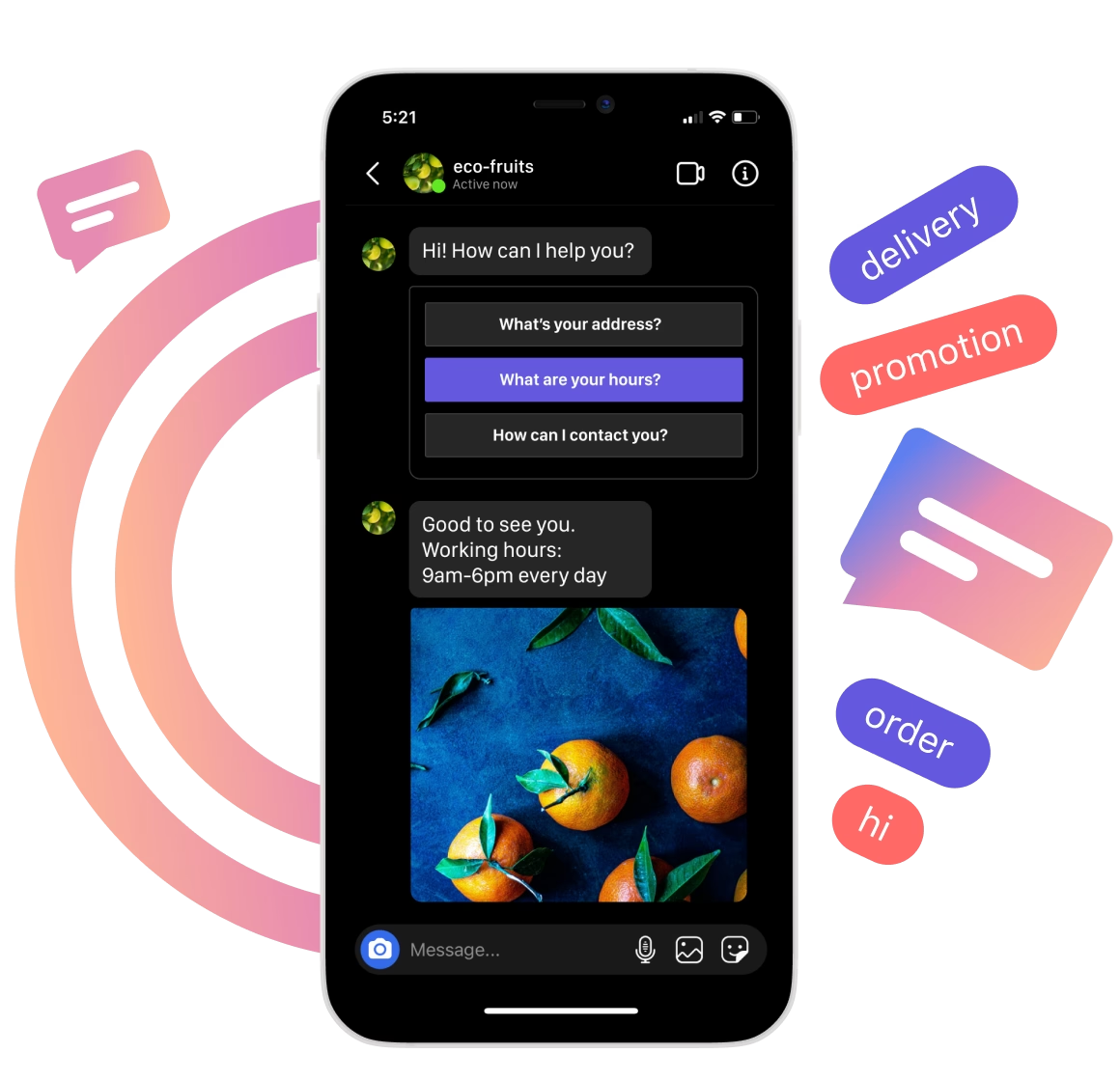
Did you know that 51% of consumers say the most memorable thing a brand can do is respond to customers on social media? That means every unanswered comment on your professional Instagram is a missed opportunity.
As your audience grows, replying to every comment, follow-up DM or product question manually just doesn’t scale. That’s where the Instagram auto reply feature comes in. With the right automation in place, you can:
Reply instantly to comments with predefined responses that answer common questions or prompt action.
Move users into direct messages automatically, where you can qualify leads, share links or offer personalized help.
Capture lead data, like names, interests or intent, without a live agent.
It’s fast, consistent and always on, even when your team isn’t.
In this article, you’ll learn how Instagram comment automation works, see real examples, get a step-by-step setup walkthrough and explore Instagram communication automation tools like Chatfuel.
What is Instagram comment automation? [+ Examples]
Instagram comment automation lets you auto-reply to comments or send triggered direct messages when someone comments with a specific keyword on an Instagram post. It’s designed for comments on posts only. It doesn’t apply to Instagram Stories or standard DMs without a trigger.
See also: AI agents for Instagram
Here’s how it works:
A user comments “Guide” on your post → They instantly receive a DM with a link to your free asset.
A user comments “Yes” → They get an auto reply like, “Thanks! Check your DMs for more info.”
It’s simple, effective and scalable. With the right tools, such as Chatfuel, you can set these replies to trigger based on specific keywords, keep followers engaged and move conversations into Instagram DMs where you can capture valuable customer data or close sales.
New in 2025: Keyword triggers are now extended with advanced AI-powered tools like Fuely AI that respond to all comments across your posts and Reels. This means every commenter can receive a personalized response, significantly boosting engagement rates.
Automated replies are ideal for handling high-volume posts, launching campaigns or responding to product inquiries without constant human intervention.
Why use Instagram comment automation? [Top benefits]
Manual replies don’t scale. If you're running a professional account or managing multiple posts, automation is how you stay visible, capture leads and interact with followers without falling behind.
See also: How to make a poll on Instagram: step-by-step guide
Here’s what Instagram comment automation helps you do:
Don’t miss lead opportunities: Typing out the same reply 20 times a day is tiresome. With the Instagram auto reply feature, every comment gets the right message instantly: no missed DMs, no off-brand replies. You respond faster, cover every interaction, stay consistent and avoid repeating the same task all day.
Increase comment engagement: More comments and faster replies tell the Instagram algorithm your post is active, boosting its reach and visibility.
Capture leads in DMs automatically: Triggering a direct message from a comment lets you move the user into a private channel. From there, automation tools can collect email addresses, qualify interest or run a drip campaign, with no manual follow-up needed.
Drive traffic to landing pages or product links: Sending a DM with a product link, offer or lead magnet gives users exactly what they’re asking for. It’s a direct, trackable way to move users from comments into action without relying on a link in bio.
Build a community by replying at scale: Responding to every comment shows you're present. Instagram automation makes that possible, even with high-volume posts. Fast, reliable replies help build trust with followers while keeping the pressure off your customer support team.
See also: 6 best AI tools for Instagram
How to do Instagram auto-reply to comments with Chatfuel [step-by-step]
Chatfuel is an official Meta partner and one of the most trusted tools for setting up Instagram automation, no code needed. It’s built to help you respond to comments, send direct messages and manage conversations at scale through intuitive, visual flows.
Follow these steps to set up Instagram auto reply using Chatfuel.
Step 1. Sign up for Chatfuel
Go to Chatfuel and sign up with one click using your Facebook or Google account. For this case, the former is better, because it connects your Facebook Page and links your Instagram Business account.
Step 2. Connect your Instagram account to Chatfuel
Before connecting your Instagram Business account to Chatfuel, make sure it’s linked to a Facebook Page where you have admin access.
In Chatfuel, Open Settings > Instagram, then Connect Instagram.
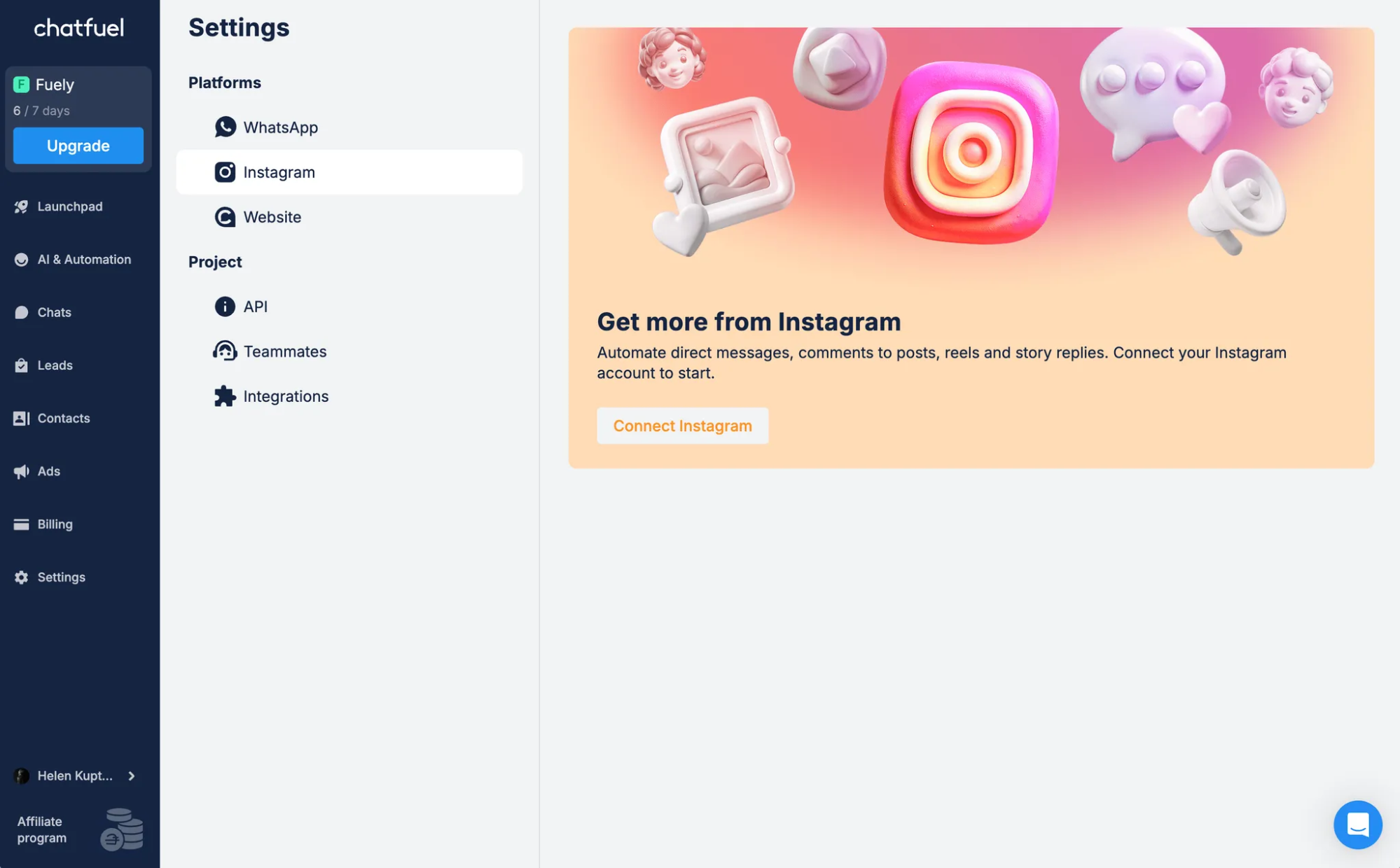
You’ll need to log in to Instagram if you’re not already.
Next, you’ll need a creator Instagram account. If you already have one, go on to the next step. If you don't, you'll be asked to switch and you need to fill in your business information.
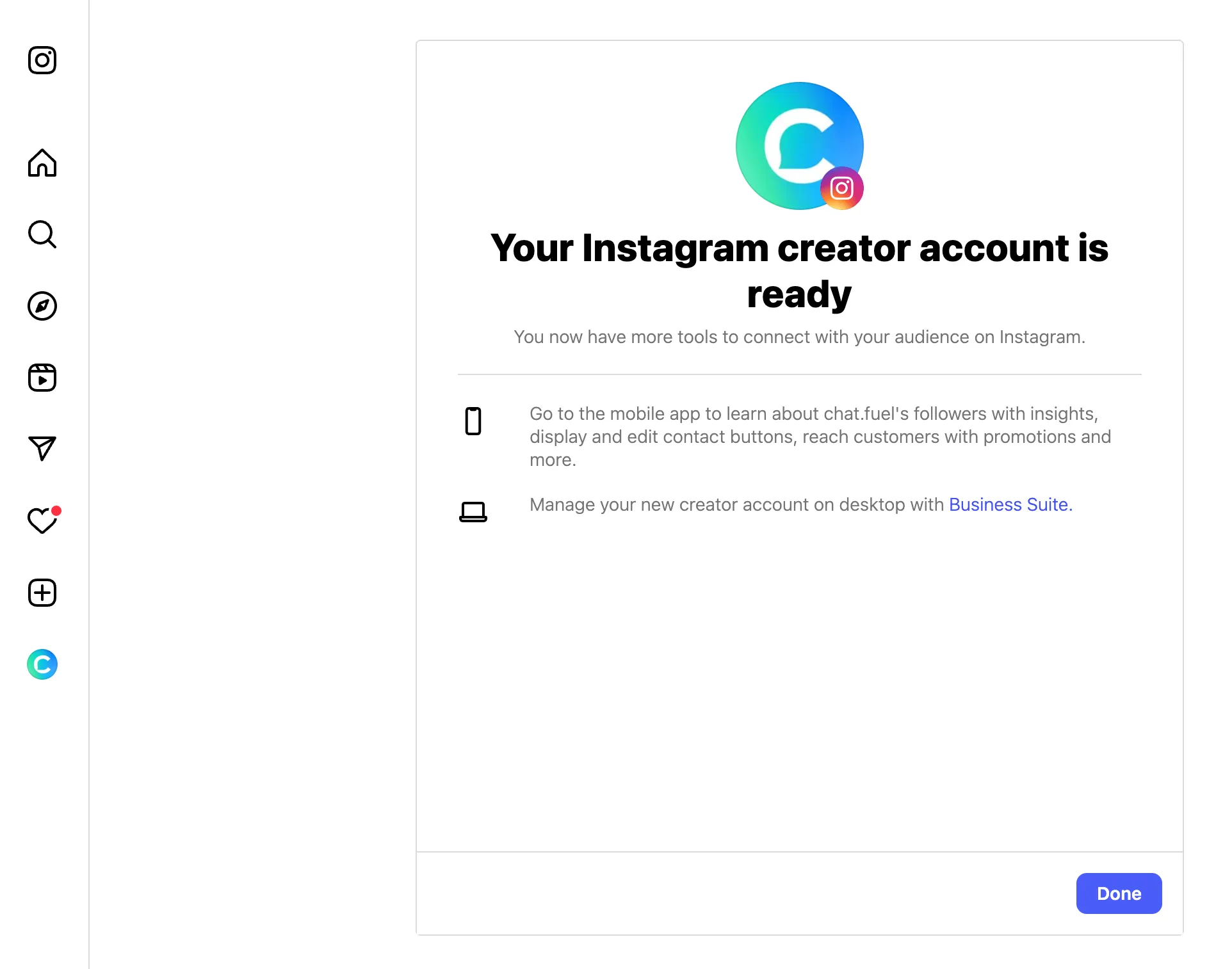
Click Allow to give Chatfuel access to your Instagram messages. And you’re done! Your Instagram account is available in Settings > Instagram.
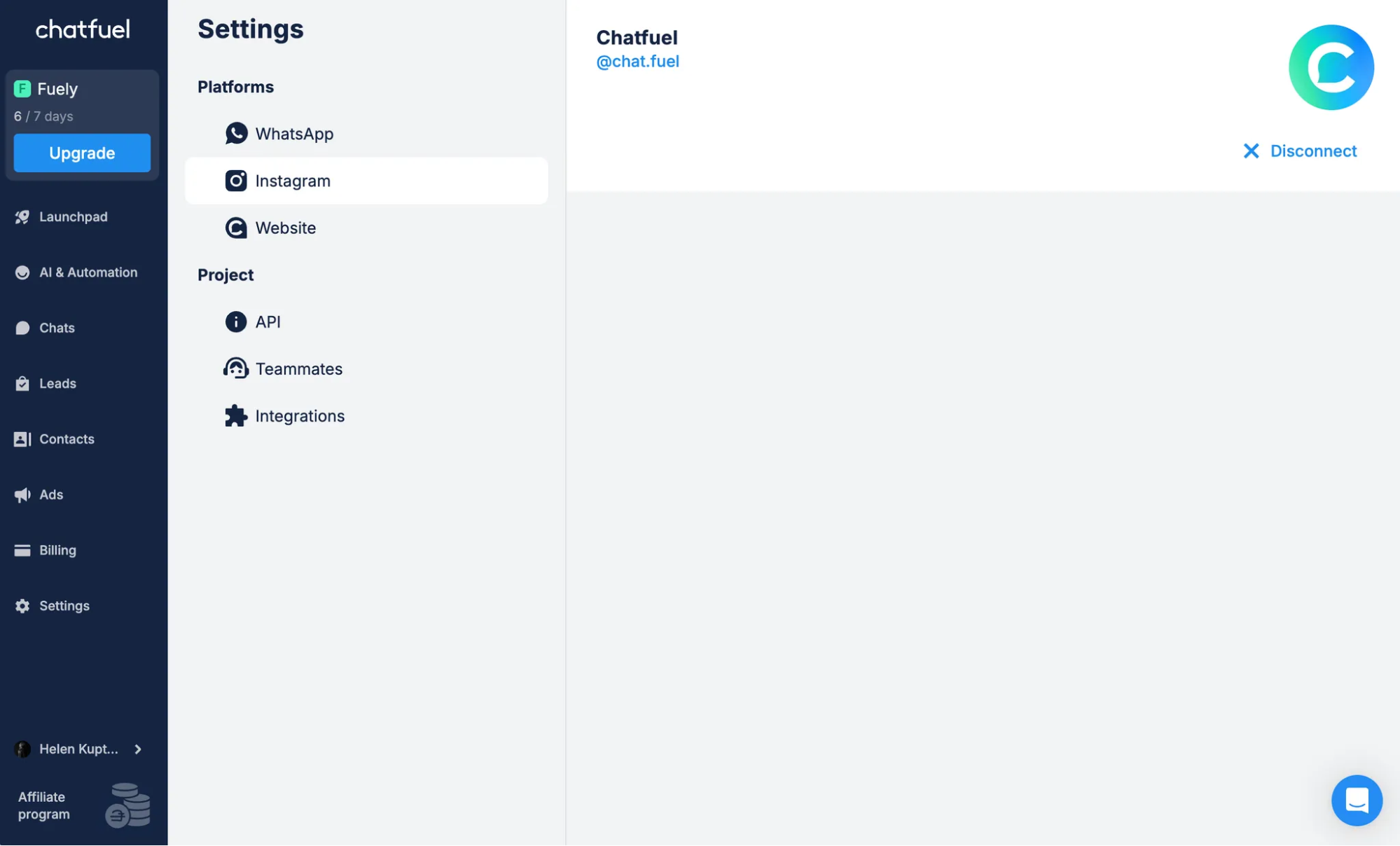
Step 3. Configure Fuely AI settings and add your information
Chatfuel comes with the Tasks feature that helps you automate interactions with followers. You can set two tasks for Instagram: reply to comments from posts or reply to comments from Reels.
Here’s how it works:
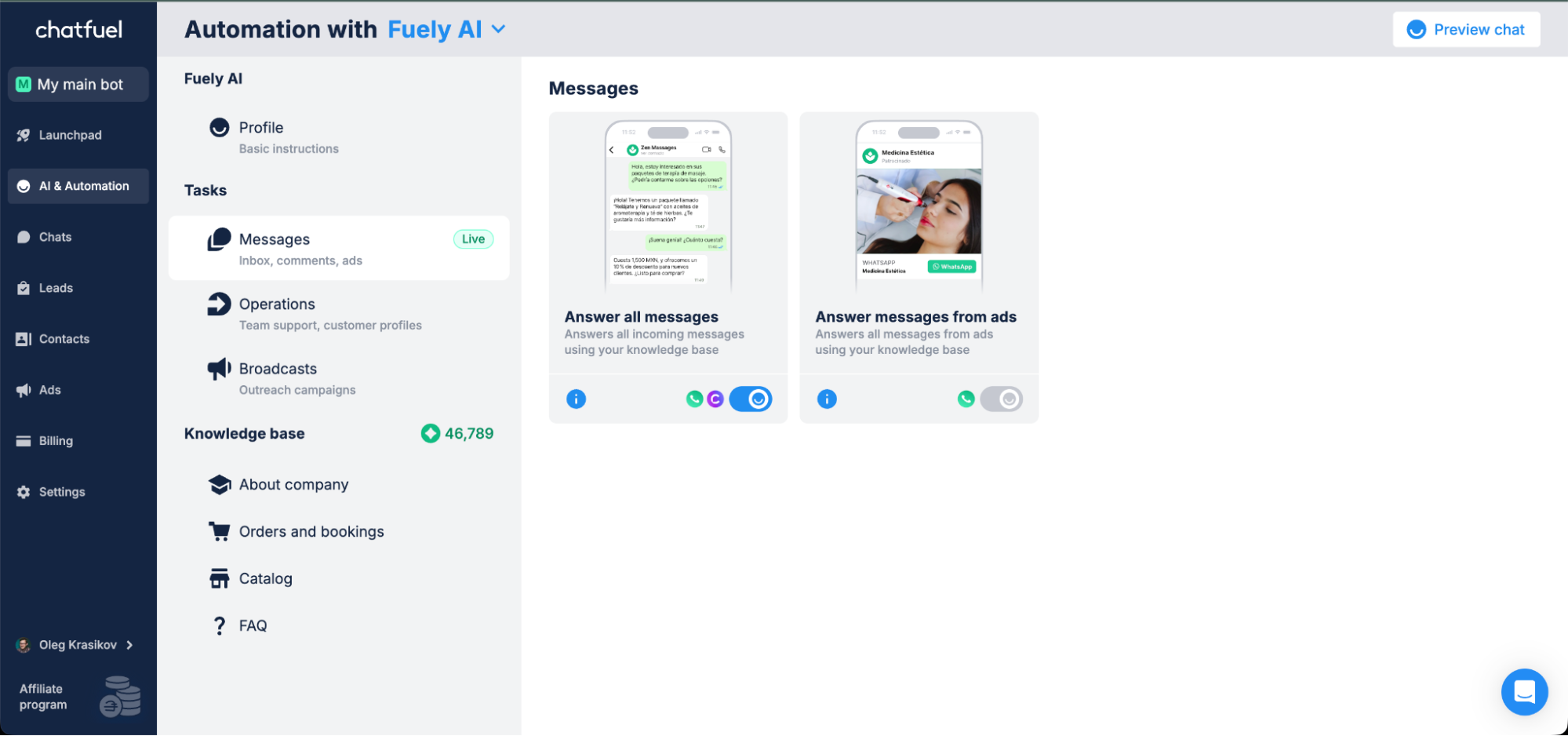
- Open AI & Automation.
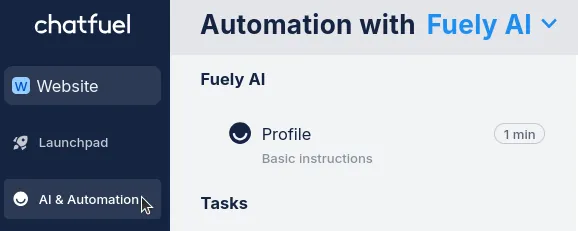
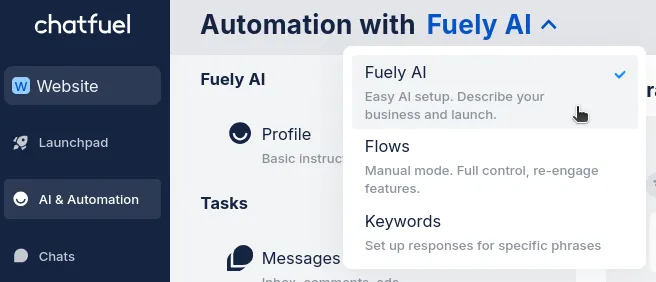
Choose the Fuely AI mode from the drop-down list.
Choose Messages under Tasks.
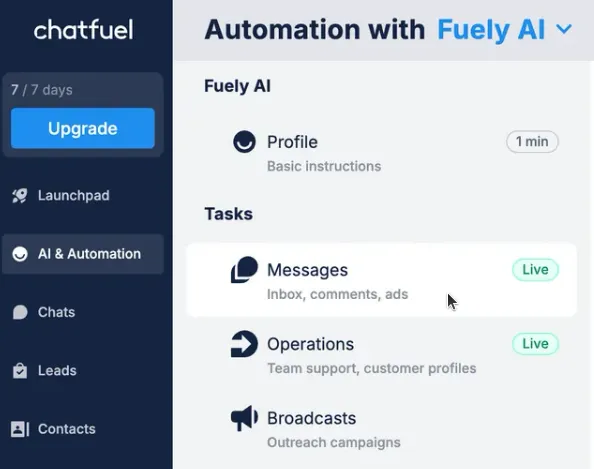
You can now see all the tasks that are available for Instagram.
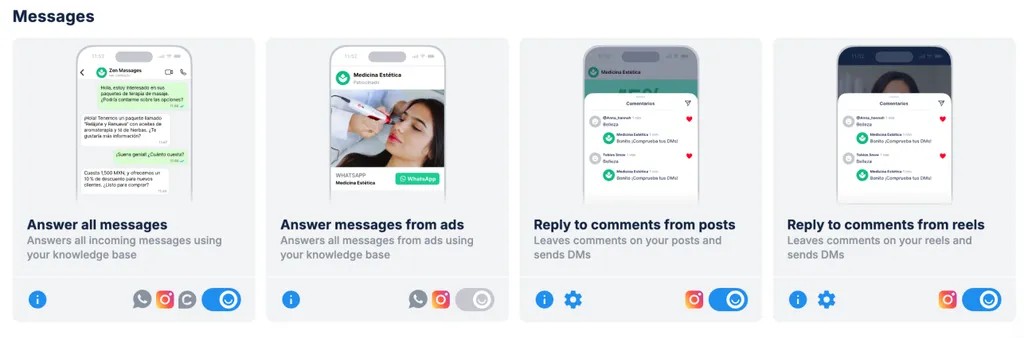
To set up a task, you should:
- Choose your task: Pick posts, reels or turn on both depending on what content you create.
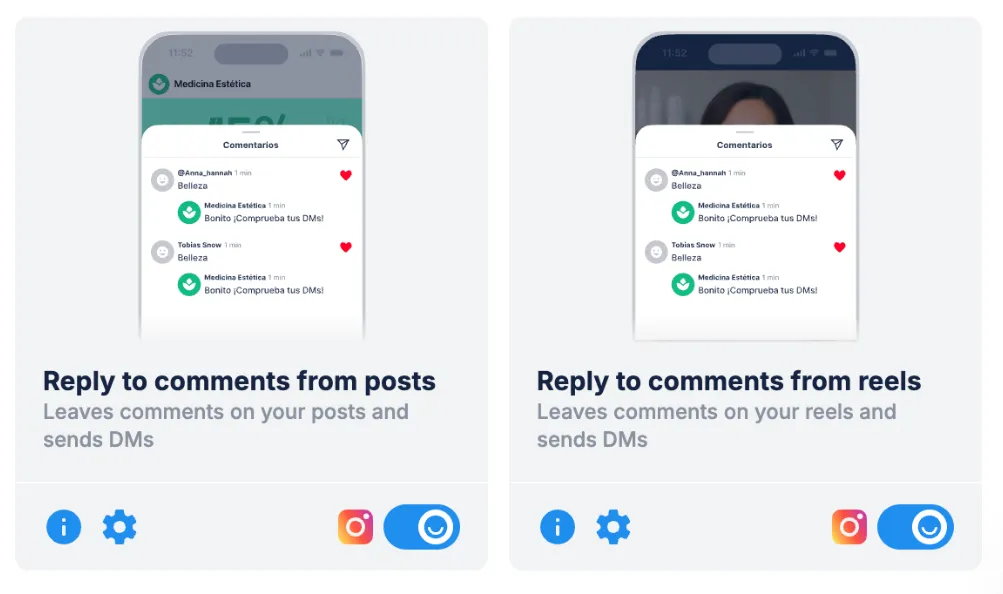
Configure settings: Tell Fuely AI what to say when people comment. You can choose default settings or configure them.
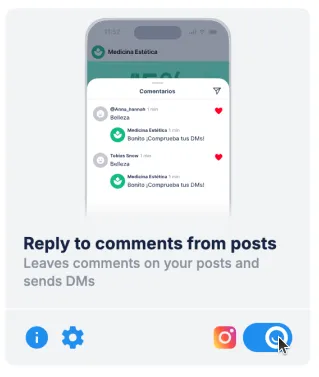
Turn on your task: Click the toggle to activate the task.
Test your task: Leave a comment on your Instagram posts/Reels to see if everything works.
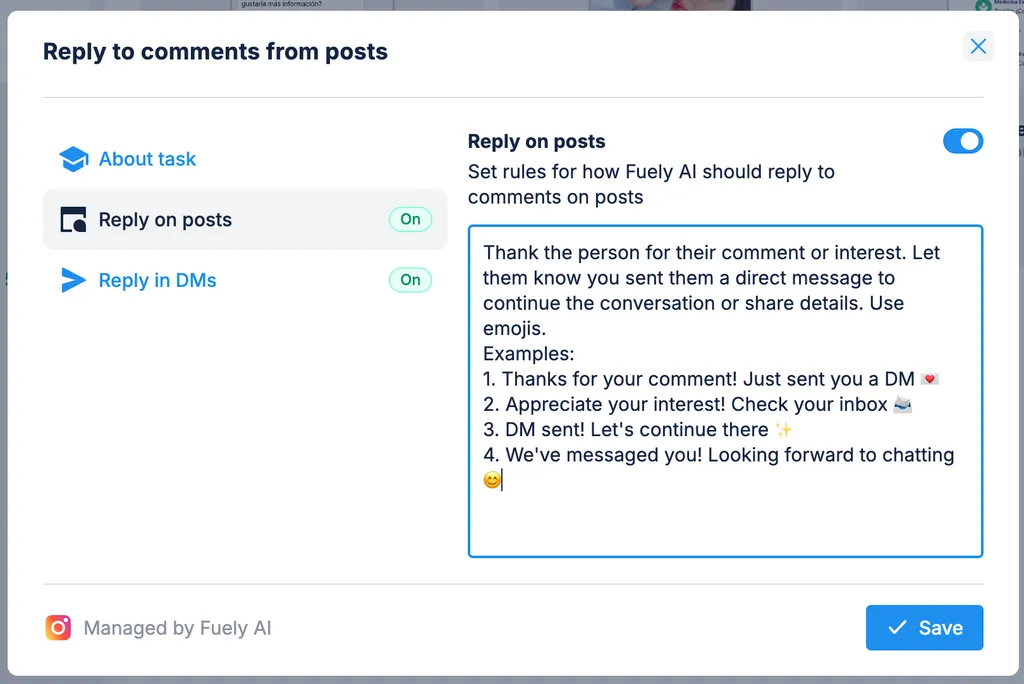
Follow these steps if you want to configure task settings:
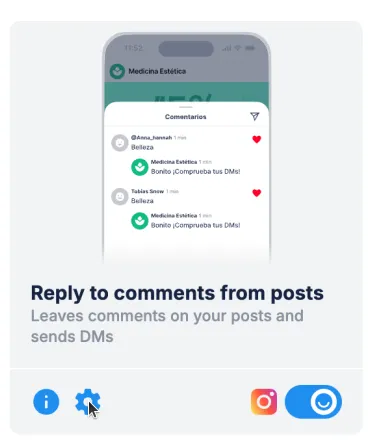
- Click the gear icon under the task to open the settings.
Choose what setting you want to change, i.e., replies in posts or DMs.
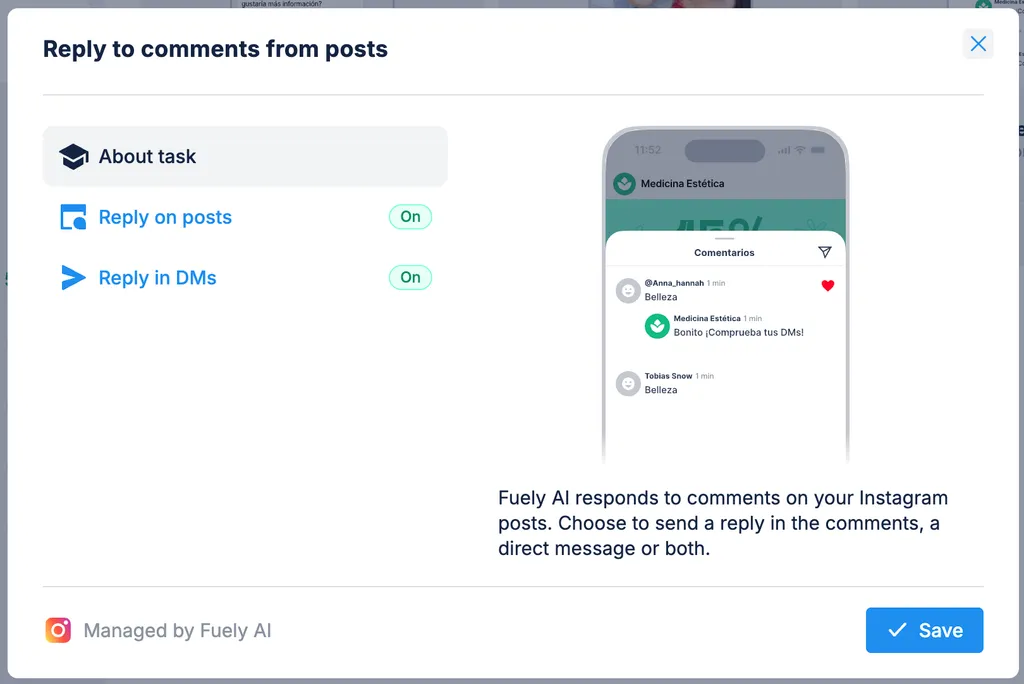
Add instructions for Fuely AI on how to reply to customers. For instance, Tell Fuely AI your tone goals and what actions you want it to take. Or leave the default instructions on.
Save your settings.
At this point, you’d also need to add your internal information to the AI knowledge base for the automatic responses to work as intended.
Smart Instagram comment automation use cases
Using Instagram comment automation isn’t only about saving time; it’s about improving engagement, generating leads and supporting customers better. Below are real use cases organized by business goal, with examples of how auto-reply DMs and keyword triggers can move users from public comments to private Instagram messages, and into your revenue stream.
For lead generation
When someone requests a free resource, don’t send them to a bio link. Instead, deliver it instantly through a direct message while collecting lead info at the same time.
**Example: **Post: “Want our social media checklist? Comment ‘Checklist’ below.” Automation:
Comment trigger: “Checklist”
DM: “Here’s the link to download the checklist. Want more resources like this? Drop your email below.”
Fuely AI can include links in both comments and DMs. This is a useful feature if you want to direct followers to your website or product/booking pages. When a customer leaves a comment with a trigger, Fuely AI sends them the required link.
This keeps the process inside the Instagram app, drives conversions from the Instagram inbox and helps you qualify leads with zero manual input.
For product launches or drops
Use automation to let interested users know when your product goes live, no sign-up form needed. A comment trigger sends them Instagram DMs with the info.
**Example: **Post: “Want early access? Comment ‘Notify’ below.” Automation:
Comment: “Notify”
DM: “You’re all set. We’ll send the launch link here as soon as it’s live.”
This moves the user from a public comment to a private DM, where you can share updates and make them feel like they’re getting VIP access before everyone else.
For contests & giveaways
Contests attract temporary buzz around your brand. Automation helps you make that more permanent by confirming entries, sharing the next steps and initiating client relationships without overwhelming your team.
**Example: **Post: “Comment to win!” Automation:
Trigger: Any comment on the post
DM: “Thanks for entering! Here are the giveaway rules and how to confirm your participation.”
It’s a simple way to acknowledge every entry, keep your Instagram inbox organized and improve customer satisfaction with a fast, helpful response.
From there, you can guide participants to a lead capture flow, offering a small discount, bonus content or early access in exchange for their email. That turns short-term attention into long-term value.
AI advantage: Every participant gets a personalized acknowledgment, and Fuely AI can guide them to additional actions like following your account, sharing the post, or joining your email list.
For customer support
Customer support is under pressure. McKinsey reports that 57% of leaders expect contact volume to increase over the next year. If you're still answering every shipping or product question manually, that’s not sustainable.
Instagram auto reply helps by instantly responding to repetitive questions, such as store hours, return policy or product availability, and sending complex queries to a real person when needed.
See also: Customer support automation: choosing the right tools
Even better: With Chatfuel, you can add quick-reply buttons to your automated DMs. These are tappable options like “Shipping Info” or “Talk to Support” that guide users through answers without making them type. It makes support faster, easier and more user-friendly, especially on mobile.
**Example: **Comment: “Do you ship internationally?” or “What’s the refund policy?” Automation:
- DM: “Here’s our shipping info: [link]. Still have questions? Tap below to reach support.”
This keeps the conversation going through Instagram messages, improves response time and reduces pressure on your support team, especially when a user sends a question after hours.
Best practices for Instagram comment automation in 2025
Automation can save time, but only if it’s set up right. Here’s how to use Instagram auto reply effectively without hurting reach or getting flagged:
Make replies feel personal: Even though the message is automated, it shouldn’t sound like it. With tools like Chatfuel, you can include the follower’s first name, add helpful links and guide them to the next step so it feels like a real conversation.
Avoid identical replies on every comment: Repeating the exact same reply can trigger Instagram’s spam filters. Add slight variations to your automated responses, such as emojis, wording changes or dynamic fields, so your replies stay natural and compliant without manual edits.
Use emojis to make comments more natural: An emoji instantly makes your automated reply appear friendlier. Your responses will also blend into the comment section more naturally without standing out as bot-written.
Deliver what you promise: If you say you’ll send something, make sure the Instagram DM automation works and triggers a message. Nothing drops customer satisfaction and loyalty faster than a broken promise.
Follow Meta’s automation policies: Only send DMs within 24 hours of the user’s comment. Meta may restrict your ability to send messages if you go above this time period.
These best practices will help you stay compliant, protect your reach and give users a better experience with every automated reply.
See also: Automate responses to FAQs on Instagram in 10 minutes with Fuely AI
Why Chatfuel is the best tool for Instagram comment automation
If you're serious about using Instagram auto reply to grow your business, Chatfuel gives you everything you need, without code or workarounds.
It’s more than a reply tool. It’s a complete platform for lead capture, customer support and automated sales, all built for Instagram (and other channels!).
Here’s how Chatfuel helps you run Instagram auto replies the right way:
Set up auto replies across all touchpoints: Chatfuel covers every touchpoint: post comments, Stories, direct messages, mentions and ads. When a potential customer asks about store hours, product availability or anything else, the Chatfuel Instagram automation feature sends the reply instantly, so users get accurate answers without delays or human input. See also: Automate responses to comments on Instagram in 10 minutes with Fuely AI
Capture and manage leads in one place: Chatfuel automatically collects emails or contact info from DMs and Instagram ad replies, then segments, qualifies and stores those leads for you.
Sell more with personalized flows: The Chatfuel Instagram DM automation feature follows up on product interest, reminds users about items they viewed and recovers abandoned carts automatically. It can send users to product pages, apply discounts and qualify buyers without manual input.
Switch to live chat when needed: Questions about billing, custom orders or account issues usually need a real person. With our live chat, your team can step in anytime, reply inside the platform and handle sensitive or complex requests without switching tools.
Stay compliant and in control: Chatfuel works seamlessly with Meta Business Suite and follows all messaging policies. That means your flows run smoothly and your account stays protected.
See also: How to run ads on Instagram
Whether you're answering repetitive questions, guiding new followers or building personalized customer experiences, Chatfuel helps you keep your audience happy and engaged.
Try Chatfuel free and launch your first Instagram automation in minutes. No code. No guesswork. Just results.
FAQs
Can you set an automatic reply on Instagram?
Yes. If you're using a business account, you can set up auto replies using tools like Chatfuel. This platform lets you reply automatically to comments, DMs and Story mentions based on specific triggers or keywords.
How to set up quick reply on Instagram?
Open the Instagram app, go to the DMs, and tap any message. Click on the plus sign and choose Saved replies. You can create shortcuts for common answers (like store hours or product info) and insert them with a tap when replying to customers.
Where to find auto-reply in Instagram?
Instagram doesn’t offer built-in auto-replies for comments. You need to use an official partner tool like Chatfuel to set up advanced Instagram automation features. Once connected, you can manage replies to comments, DMs and more from inside the Chatfuel dashboard.
Can you automate messages on IG?
Yes. With the right tools, you can fully automate messages on Instagram. You can also build flows that collect emails, answer FAQs or direct users to product pages.