


Connect Chatfuel MCP with Square MCP
Your clinic runs its calendar, card payments and loyalty program in Square, while customers write on WhatsApp and Instagram. Your assistant books their requests into Square Appointments, refunds a double charge and says so in the chat, and teaches the AI Agent Square's booking rules and points offers.
What the integration can do
Tools the assistant calls on each side, named as the servers name them.
| Tool | What it does |
|---|---|
list_chats | Lists customer chats with their channel, status and lead stage. |
get_chat | Returns the latest messages of one customer chat with its channel, status and lead stage. |
send_chat_message | Sends the text you approved to a customer in their chat and moves the chat to live chat. |
return_chat_to_ai | Hands a chat in live chat back to the AI Agent after your yes, and the AI Agent answers the customer's last message. |
get_knowledge_base | Returns what the AI Agent answers from: company info, instructions, business hours, FAQ, services and specialists. |
add_faq | Adds question and answer pairs to the FAQ the AI Agent answers from. |
set_business_hours | Replaces the weekly business hours the AI Agent tells customers, after you confirm. Days left out are closed. |
test_reply | Sends a sample customer message to a sandbox chat and returns the AI Agent's reply. |
list_posts | Lists recent posts and reels of the Instagram account and the Facebook Page connected to your bot. |
setup_comment_replies | Sets up AI or fixed replies to comments, for all of them or by keyword; on Instagram and Facebook also a DM and a choice of posts. |
| Tool | What it does |
|---|---|
get_service_info | Lists the methods of one Square API service, such as bookings, payments or loyalty, and what each method does. |
get_type_info | Shows the fields a Square API method expects, so the assistant builds a valid request before calling it. |
make_api_request | Runs one Square API method: reads or changes customers, bookings, payments, refunds, locations, loyalty and the rest of the API. |
What to ask the assistant
Booking request in the chat → an appointment in Square Appointments
WhenA returning customer asks on Instagram for a Peeling this Saturday morning and types her phone number. Your calendar lives in Square Appointments, so the AI Agent passes the chat to your team instead of booking it in Chatfuel.
- Chatfuel MCP finds the chats waiting for your team with
list_chats, andget_chatreads the service, the day and the phone number she typed. - Square MCP's
get_type_inforeturns the fields each call needs.make_api_requestthen finds her profile by that phone number and lists the free Peeling slots on Saturday morning. - You pick a time, and
make_api_requestbooks it on her profile with the service, the specialist and your location. send_chat_messageconfirms the time in her Instagram chat after your yes to the text, andreturn_chat_to_aigives the chat back to the AI Agent after another yes.
ResultThe visit appears in Square's calendar next to your other appointments, and the customer gets the time in the chat she wrote from. If no profile has her number, the assistant says so and asks before it creates one.
AskHazel Sutton asked on Instagram for a Peeling this Saturday morning and typed her phone number. Find her in Square, show me the free Saturday morning times, book the one I pick and draft a confirmation for her chat.
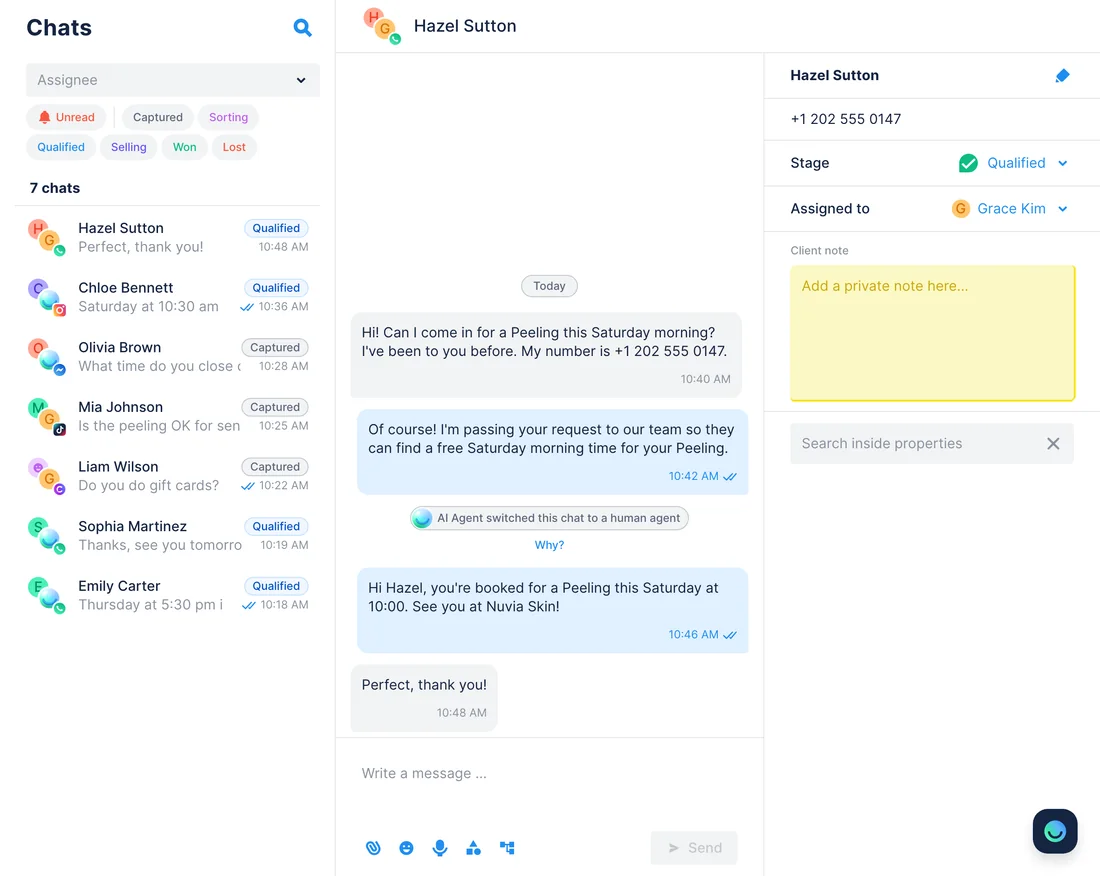
Cancellation rules and hours in Square → what the AI Agent tells customers
WhenCustomers keep asking in chats how late they can move a visit and what happens if they miss one. The answers are already in your Square Appointments settings.
- Square MCP reads your business booking profile with
make_api_request: the 24-hour window to cancel or reschedule, the $20 no-show fee and your policy text. It also reads your location's weekly hours. - Chatfuel MCP checks what the FAQ already covers with
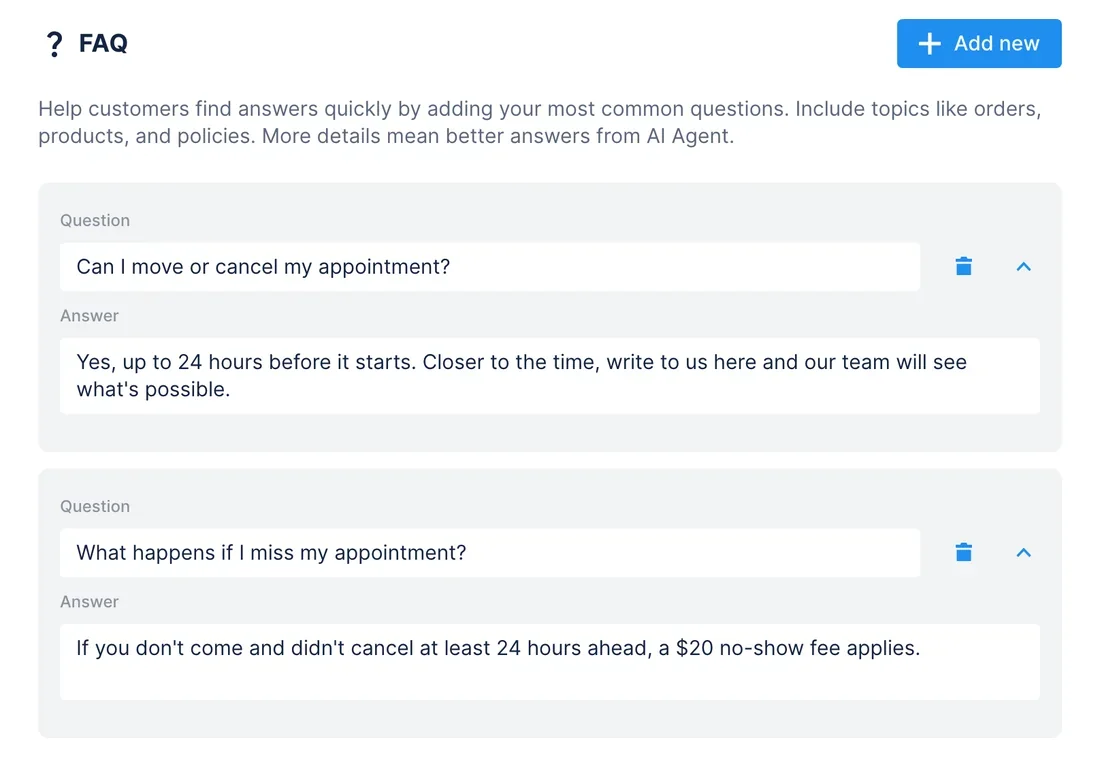
get_knowledge_base, andadd_faqadds two answers: moving or cancelling a visit, and missing one. set_business_hoursgives the AI Agent the same weekly hours as your Square location, once you confirm.test_replyasks the AI Agent in a sandbox chat whether tomorrow morning's visit can still be moved.
ResultChat answers match your Square settings: the same window, the same fee, the same hours. When you change the policy in Square, the AI Agent keeps the old answer until you ask the assistant to update it.
AskRead our cancellation window, no-show fee and opening hours from Square Appointments. Add FAQ answers on moving, cancelling and missing a visit, give the AI Agent the same hours and test what it says about moving tomorrow's appointment.
“I was charged twice” in the chat → the duplicate refunded in Square
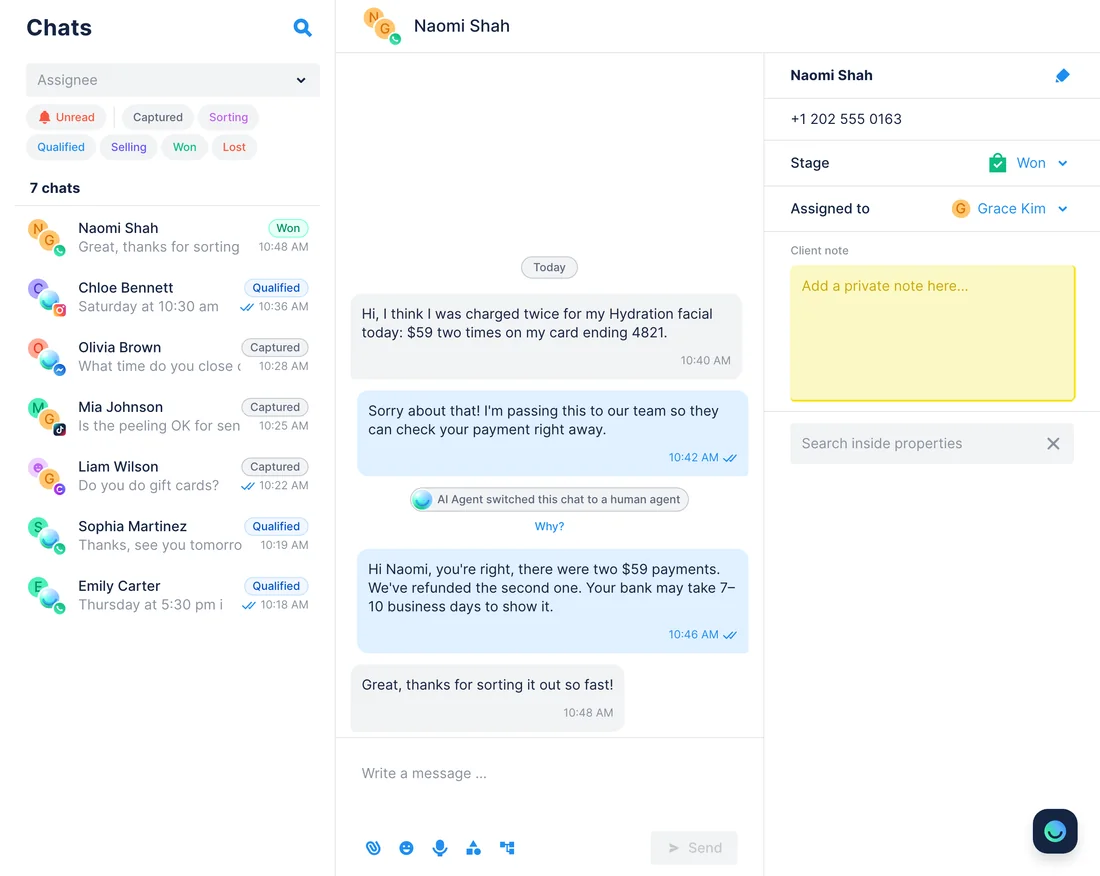
WhenA customer writes on WhatsApp that the front desk charged her card twice for a Hydration facial today: $59 two times, card ending 4821. The AI Agent passes the chat to your team.
- Chatfuel MCP lists the chats waiting for your team with
list_chats, andget_chatreads the amount, the day and the last four digits she gave. - Square MCP lists today's payments with
make_api_request, filtered by the $59 total and the card's last four digits, and finds two completed payments a minute apart. - After you look at both and approve,
make_api_requestrefunds the second one and reads back the refund status: pending or completed. send_chat_messagetells her the duplicate is refunded and when to expect the money, once you approve the text.return_chat_to_aithen hands the chat back to the AI Agent.
ResultThe customer gets a confirmed refund in the same chat instead of a call back tomorrow. Square completes most refunds within a few hours, and her bank can take 7–10 business days to show the money.
AskNaomi Shah says on WhatsApp she was charged $59 twice today on her card ending 4821. Find both payments in Square, refund the duplicate after I confirm, and draft a reply that tells her when the money comes back.
Double points in Square Loyalty → a DM for every POINTS comment
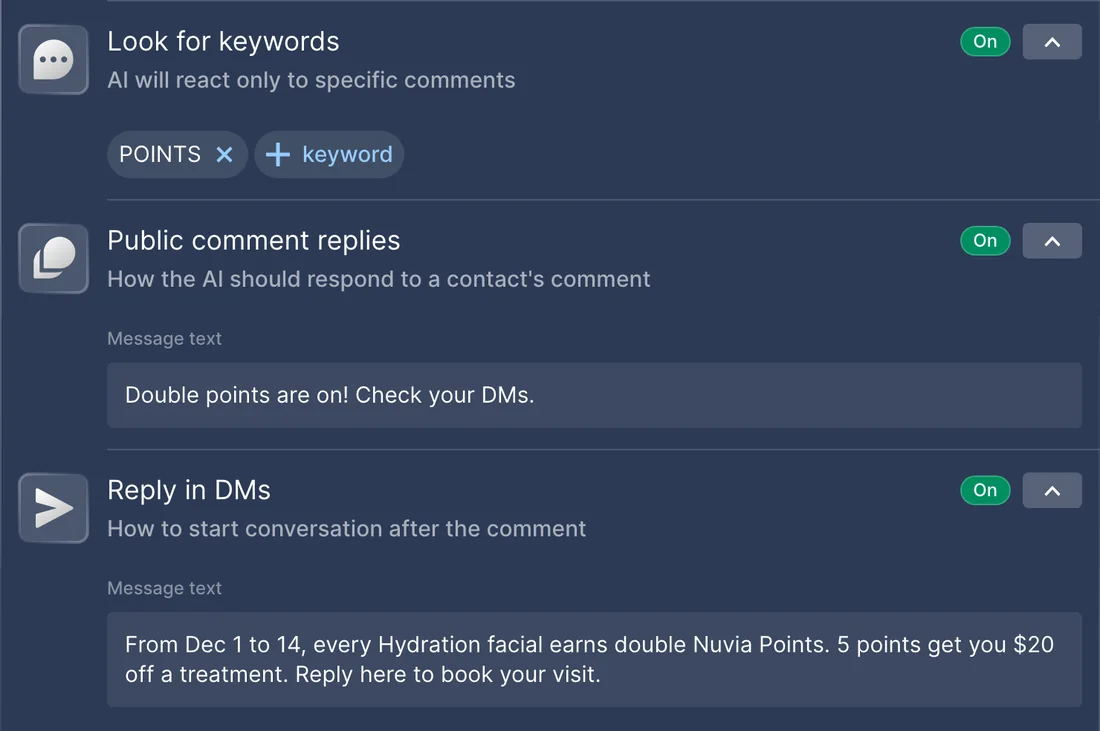
WhenFrom December 1 to 14, every Hydration facial earns double Nuvia Points. You announce it in an Instagram post and want each commenter to get the details in a DM.
get_service_infolists Square's loyalty methods, andmake_api_requestreads your program: 1 point per visit, 5 points for $20 off a treatment.make_api_requestcreates the promotion: a 2× multiplier on the Hydration facial from December 1 to 14. Square keeps it scheduled until the first day.- Chatfuel MCP finds the post with
list_posts, andsetup_comment_repliesanswers each comment with POINTS: a short public reply and a DM with the dates, the reward and an offer to book. add_faqputs the promotion in the FAQ, so the AI Agent can handle follow-up questions in the DMs.
ResultEvery commenter gets the offer in a DM, and members earn the extra points at checkout while the promotion is active. Square ties points to the customer's phone number. On TikTok a comment can't get a DM, so the public reply asks people to write first.
AskIn Square Loyalty, double the points for the Hydration facial from December 1 to 14. Then set up replies on our latest Instagram post: comments with POINTS get a DM with the dates and the reward. Add the promotion to our FAQ too.
How to connect
Add Chatfuel MCP
Connect Chatfuel from the Claude or ChatGPT directory, or give Cursor the address https://mcp.chatfuel.com/panel, and sign in with your Chatfuel account.
Add Square MCP
Claude lists Square in its directory. ChatGPT takes https://mcp.squareup.com/mcp as a custom MCP server, and Cursor reaches it through npx mcp-remote. Sign in to Square as the account owner or a teammate with full permissions.
Ask in one conversation
Square MCP has three general tools, so the assistant looks up the method and its fields before each call. Chatfuel asks for your yes before it changes the bot or writes to a customer.
- Connect Chatfuel from Claude's connector directory and sign in.
- Search the same directory for Square, made by Square, Inc., and click Connect.
- Sign in to Square on the page that opens and allow access. Then switch on the Square tools you need in a chat's tools menu, as Square's guide shows.
- Chatfuel MCP
- claude.ai/directory/chatfuel
- Square MCP
- From Claude's directory
- Add the Chatfuel plugin from ChatGPT's directory and sign in.
- ChatGPT has no Square plugin for seller data yet. With developer mode on, open Plugins › + › Add custom MCP server, enter https://mcp.squareup.com/mcp and choose OAuth.
- Sign in to Square in the window that opens. Square's guide skips ChatGPT, but its team confirmed on the developer forum that ChatGPT is on the client allowlist.
- Chatfuel MCP
- chatgpt.com/plugins
- Square MCP
https://mcp.squareup.com/mcp
- Add Chatfuel to ~/.cursor/mcp.json with the address https://mcp.chatfuel.com/panel.
- Square's guide adds its server to Cursor as a command: npx mcp-remote https://mcp.squareup.com/mcp. It needs Node.js and runs a small bridge on your computer to Square's hosted server.
- Sign in to Square in the browser tab it opens. To try prompts on Sandbox data first, run npx square-mcp-server start with SANDBOX=true and a Sandbox access token instead.
- Chatfuel MCP
https://mcp.chatfuel.com/panel- Square MCP, run on your computer
npx mcp-remote https://mcp.squareup.com/mcp
What you need
- A Chatfuel bot with a channel connected. The double points use case also needs an Instagram account or a Facebook Page, where comment DMs go out.
- A Square account in a country where Square takes card payments: the US, Canada, the UK, Ireland, France, Spain, Australia or Japan. The owner or a teammate with full permissions signs in.
- Square Appointments Plus or Premium to create, move or cancel bookings through the API; on the free plan the assistant only reads them. For points, Square Loyalty with a program set up in the Square Dashboard.
- Claude, which has Square in its connector directory; ChatGPT with developer mode for custom MCP servers; or Cursor with Node.js installed.
Limits
- Square labels its MCP server Beta and collects feedback and bug reports as GitHub issues on square/square-mcp-server.
- The hosted server reaches live data only. Square suggests testing prompts in a Sandbox first, and that takes the local server with a Sandbox access token.
- Chatfuel's booking and Square Appointments keep separate calendars, and nothing syncs them. Here the assistant books in Square when you ask; bookings the AI Agent makes in Chatfuel stay in Chatfuel.
- Seller-level access lets the assistant double-book or book outside your hours, so it checks Square's free slots first. Without Plus or Premium, Square refuses any booking change with a 403.
- Square looks customers up by phone or email, not by name, and Chatfuel MCP shares neither. The customer has to type one in the chat; going the other way, list_chats can search for the phone on a Square profile.
- Square documents no approval step of its own for writes such as refunds, so leave tool approval on in your assistant. Refunds work on completed payments up to a year old, at most 20 refunds per payment.
- A reply to a customer goes out only after you approve its wording, and only inside the window: 24 hours after their last WhatsApp message, 7 days on Instagram and Messenger.
- Square accepts only MCP clients on its allowlist. An assistant that isn't listed can't sign in until Square adds it after a request on its developer forum.
FAQ
Yes to both. Block hosts the server at https://mcp.squareup.com/mcp, and Square's guide at developer.squareup.com/docs/mcp calls it Beta. The local version's code is on GitHub as square/square-mcp-server. Square hasn't listed it in the MCP Registry.
No. Chatfuel's booking writes to Chatfuel's own calendar, and Chatfuel MCP doesn't sync it with Square. If Square is your calendar, have the AI Agent pass booking requests to your team, then ask the assistant to book them in Square.
Reading bookings and your booking settings works on the free Appointments plan. Creating, moving or cancelling a booking takes Appointments Plus or Premium. The double points promotion needs a Square Loyalty subscription.
Not with the hosted server, which only reaches production. Run the local server instead: npx square-mcp-server start with a Sandbox access token and SANDBOX=true. Add DISALLOW_WRITES=true to keep it read-only.
Yes, as a custom MCP server in developer mode, at https://mcp.squareup.com/mcp. Square has no ChatGPT plugin for seller data yet. The ChatGPT app Square announced in July 2026 is a different thing: it lets diners order from US restaurants.
By phone or email. Square searches its Customer Directory by an exact or fuzzy phone number or email, so the customer types one in the chat. In the other direction, list_chats finds a chat by the phone saved on a Square profile.
More integrations


Connect Chatfuel MCP
Start a free trial, add Chatfuel to your assistant and ask about Square and your chats in one place.