

Connect Chatfuel MCP with TikTok Ads MCP
Create TikTok ads that open a DM or put budget behind one of your videos, right from your assistant, and get Chatfuel ready for whoever writes: the AI Agent qualifies them in TikTok DMs, keyword replies go under your videos, and your ad comments turn into FAQ answers.
What the integration can do
Tools the assistant calls on each side, named as the servers name them.
| Tool | What it does |
|---|---|
enable_ai | Turns on the AI Agent for the channels you pick, including chats that start from ads. |
get_automation | Shows one automation's settings, such as its reply prompt, handoff rules and the details it collects. |
update_automation_setting | Changes one setting of an automation: when the AI replies, handoff to your team, follow-ups, lead qualification, booking rules or comment replies. |
setup_comment_replies | Sets up AI or fixed replies to comments, for all of them or by keyword; on Instagram and Facebook also a DM and a choice of posts. |
add_faq | Adds question and answer pairs to the FAQ the AI Agent answers from. |
test_reply | Sends a sample customer message to a sandbox chat and returns the AI Agent's reply. |
list_chats | Lists customer chats with their channel, status and lead stage. |
get_chat | Returns the latest messages of one customer chat with its channel, status and lead stage. |
set_lead_stage | Moves a lead to another stage of the Leads board, such as Qualified or Won. |
| Tool | What it does |
|---|---|
identity_video_get | Lists the posts of a TikTok identity, so you can pick the video for a Spark Ad. |
smart_plus_campaign_create | Creates an Upgraded Smart+ campaign, for example with the Lead Generation objective. It starts switched on unless it's created off. |
smart_plus_adgroup_create | Creates an Upgraded Smart+ ad group with budget, targeting and where leads go, such as TikTok direct messages. |
smart_plus_ad_create | Creates an Upgraded Smart+ ad, including a Spark Ad from one of your posts. |
smart_plus_campaign_status_update | Switches an Upgraded Smart+ campaign on or off. |
adgroup_get | Lists ad groups with their status, budget and settings. |
ad_create | Creates ads in an ad group, including Spark Ads that use one of your TikTok posts. New ads start switched on unless they're created off. |
ad_status_update | Switches ads on or off. |
comment_list_get | Reads the comments under your video ads, Spark Ads included, for an ad group and a date range. |
comment_post_create | Posts a reply to a first-level comment under an ad. |
report_integrated_get | Runs a report by advertiser, campaign, ad group or ad, with spend and messaging metrics such as conversations and cost per conversation. |
What to ask the assistant
Direct Messaging ad → the AI Agent qualifies in TikTok DMs
WhenYou want a TikTok ad with a Send message button, and someone has to answer every DM it brings.
- TikTok Ads MCP picks your video with
identity_video_getand builds a Lead Generation campaign withsmart_plus_campaign_create,smart_plus_adgroup_create(leads go to TikTok direct messages) andsmart_plus_ad_create, all created switched off. - Chatfuel MCP turns on the AI Agent for TikTok with
enable_ai, which covers DMs and chats that start from TikTok ads, and sets what it asks withupdate_automation_setting: the skin concern, a preferred day and a phone number. - Once you say go,
smart_plus_campaign_status_updateswitches the campaign on, and TikTok reviews the ad before it runs. - Later,
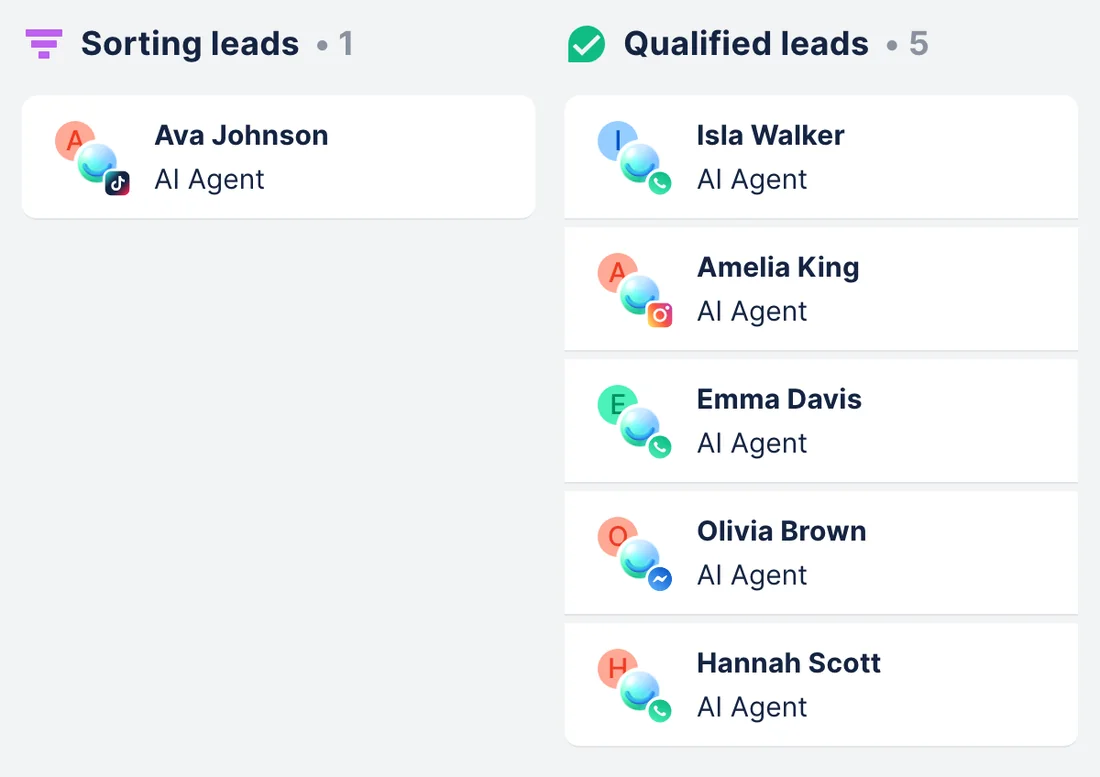
list_chatsshows the new TikTok chats with their stages, andset_lead_stagemoves the leads you pick to Qualified, which hands them to your team.
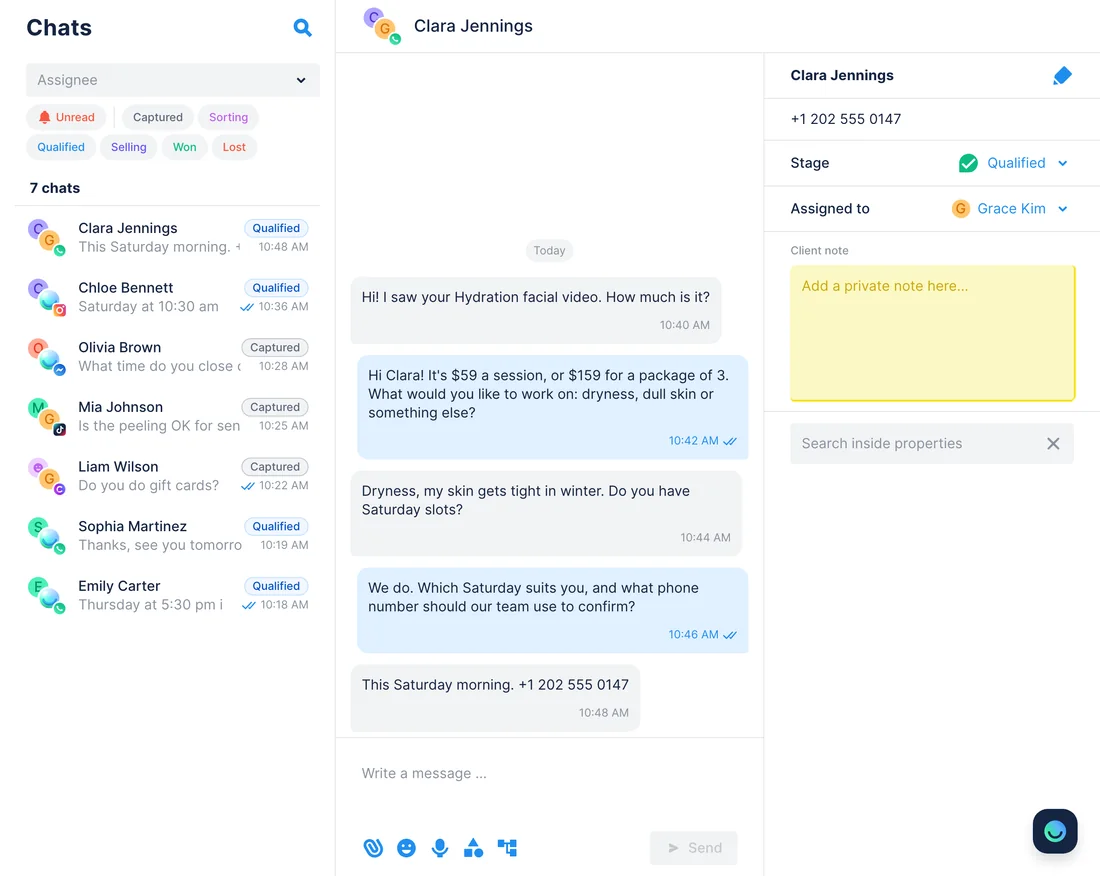
ResultEvery DM from the ad gets an answer straight away, and your team picks up leads who have already named a treatment, a day and a phone number.
AskCreate a TikTok Direct Messaging ad from our Hydration facial video, switched off. Turn on the AI Agent for chats from TikTok ads, have it ask for the skin concern, a preferred day and a phone number, then switch the campaign on.
Spark Ad from your video → keyword replies that invite a DM
WhenOne of your TikTok videos keeps getting questions about the Hydration facial package, and you want ad budget behind it.
- TikTok Ads MCP finds the video with
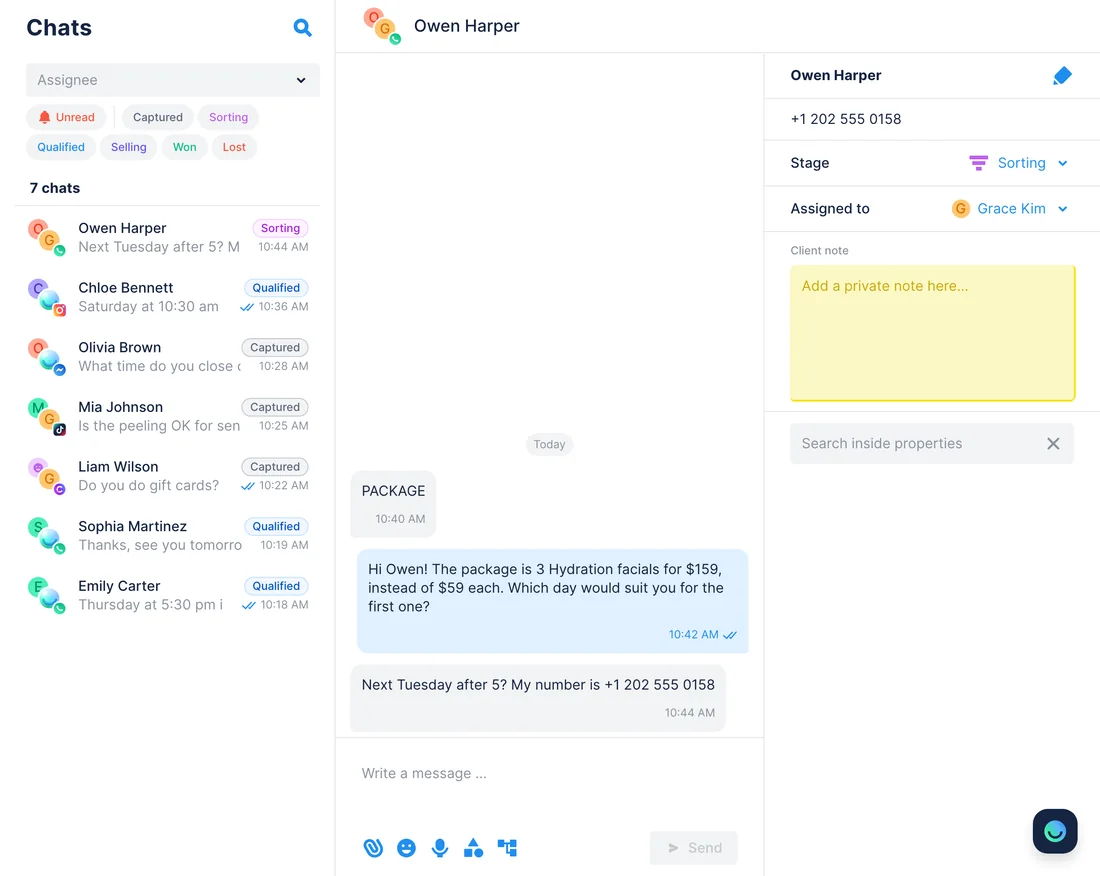
identity_video_getand your ad group withadgroup_get, then adds the video as a Spark Ad withad_create, switched off for now. - Chatfuel MCP sets a keyword rule for TikTok comments with
setup_comment_replies: anyone who writes “package” gets a public reply asking them to send a DM. enable_aiturns on the AI Agent for TikTok DMs, so whoever writes gets the price and an offer of a time.- When you're ready,
ad_status_updateswitches the Spark Ad on.
ResultPeople who comment the keyword get a reply under the video and an answer from the AI Agent as soon as they write. The rule matches that word on all your videos, not only the boosted one.
AskAdd our Hydration facial video as a Spark Ad to the “Facials – reach” ad group, switched off. In Chatfuel, answer TikTok comments that say “package” with a short reply asking them to DM us, and turn on the AI Agent for TikTok DMs.
Questions under your TikTok ads → answers in the FAQ
WhenYour TikTok ads collect comments, and the same questions come up before anyone writes to you.
- TikTok Ads MCP finds your running ad groups with
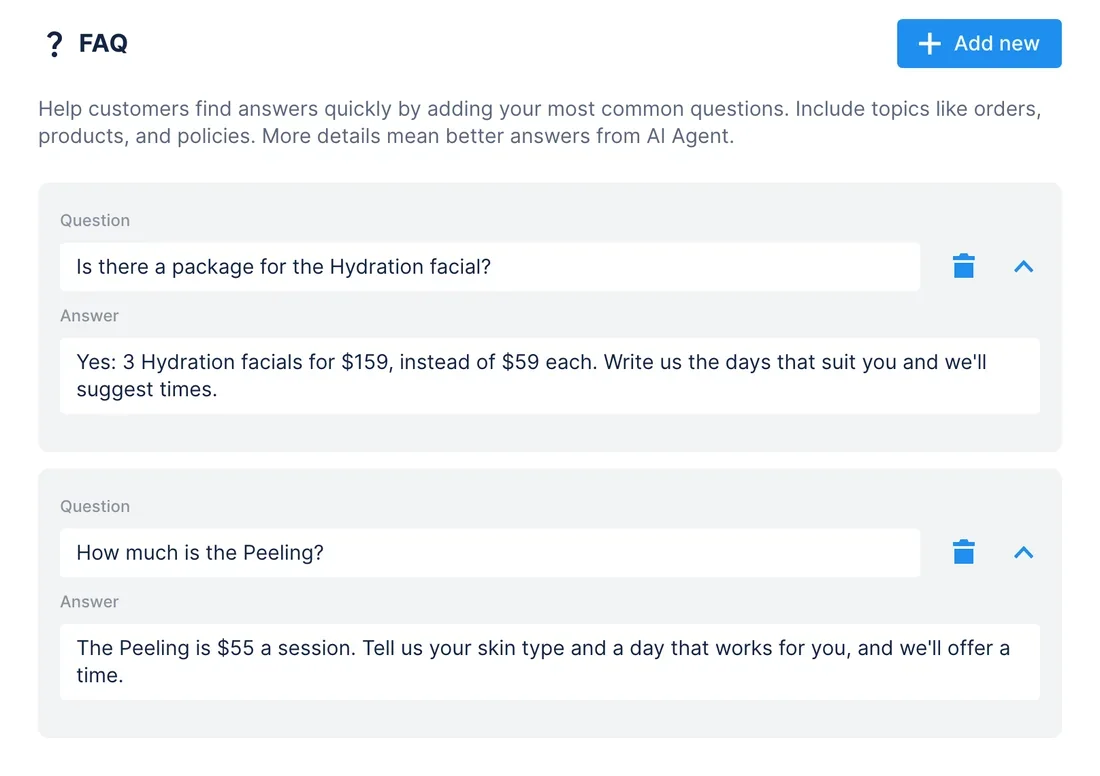
adgroup_getand reads the comments under their ads for the week withcomment_list_get. - The assistant groups the comments by question and drafts answers from the prices you confirm.
- Chatfuel MCP adds them with
add_faq, andtest_replyasks the AI Agent one of those questions in a sandbox chat.
ResultWhen commenters move to your DMs, the AI Agent already has the answer. A question your data doesn't cover, such as Sunday hours, comes back to you instead of a guess.
AskRead the comments under our TikTok ads from the last 7 days and list the questions people repeat. Add the answers about prices to our Chatfuel FAQ and test one.
TikTok DMs vs. qualified leads → a sharper first reply
WhenTikTok counts plenty of DM conversations from your ad, but few of those people reach Qualified on your Leads board.
- TikTok Ads MCP pulls the week's conversations and cost per conversation for TikTok direct messages with
report_integrated_get, by ad and by day. - Chatfuel MCP lists the week's chats with
list_chats, keeps the TikTok ones by their channel and reads where each one stopped withget_chat. get_automationshows the current prompt of the Ads that click to TikTok automation. After your yes,update_automation_settingrewrites it, for example to give the price before any question.test_replysends a sample question to a sandbox chat, so you see the new first reply.
ResultYou find where TikTok chats go quiet and change the AI Agent's opening the same day. The figures are weekly totals: neither server ties a chat to one ad.
AskTikTok says our DM ad got 40 conversations this week, but few leads are qualified in Chatfuel. Read this week's TikTok chats, tell me where people stop answering and suggest a better prompt for chats from TikTok ads.
How to connect
Add Chatfuel MCP
Connect Chatfuel in your assistant and log in with your Chatfuel account: from the directory in Claude and ChatGPT, by its URL in Cursor.
Add TikTok Ads MCP
In Claude, add TikTok from the connector directory. In ChatGPT and Cursor, use the server URL https://business-api.tiktok.com/open_mcp/tt-ads-mcp-flat. Sign in to TikTok Ads Manager and click Authorize; TikTok needs no developer app.
Work across both in one request
The assistant reads TikTok and sets up Chatfuel in the same chat. Chatfuel asks before it turns on the AI or changes an automation. TikTok switches new campaigns on by default, so ask for them to be created off.
- Connect Chatfuel from Claude's directory of connectors and log in.
- Open Customize › Connectors, search the directory for TikTok and add it.
- Sign in to TikTok Ads Manager, review the permissions and click Authorize. The directory version leaves out TikTok's finance and billing tools; add the URL as a custom connector if you need them.
- Chatfuel MCP
- claude.ai/directory/chatfuel
- TikTok Ads MCP
- From Claude's directory
- Find Chatfuel in ChatGPT's plugin directory, install it and log in.
- In Settings › Security and login, switch on Developer mode. In the Plugins tab, click +, name the server TikTok Ads and paste https://business-api.tiktok.com/open_mcp/tt-ads-mcp-flat.
- Tick I understand and want to continue, click Create, then sign in to TikTok for Business and authorize the connection.
- Chatfuel MCP
- chatgpt.com/plugins
- TikTok Ads MCP
https://business-api.tiktok.com/open_mcp/tt-ads-mcp-flat
- In ~/.cursor/mcp.json, add Chatfuel with "url": "https://mcp.chatfuel.com/panel".
- Open Customize › MCPs, click + New and add TikTok next to it with "url": "https://business-api.tiktok.com/open_mcp/tt-ads-mcp-flat".
- Click Authenticate, sign in to TikTok Ads Manager and click Authorize.
- Chatfuel MCP
https://mcp.chatfuel.com/panel- TikTok Ads MCP
https://business-api.tiktok.com/open_mcp/tt-ads-mcp-flat
What you need
- A Chatfuel bot on an active plan with your TikTok account connected. Accounts signed up in the United States can't be connected.
- A TikTok for Business account with access to the ad account. You approve the connection in TikTok Ads Manager; no developer app or API key.
- For Direct Messaging ads: an advertiser registered in a country where TikTok offers them, a TikTok account that takes DMs from everyone, and message permission for the identity that runs the ad.
- Claude Pro or Max, ChatGPT Plus, Pro, Business, Enterprise or Education on the web, or Cursor.
Limits
- Chatfuel MCP doesn't list TikTok posts, so a TikTok comment rule works by keyword on all your videos rather than on the one you boosted.
- TikTok Ads MCP has no tools for DMs or for comments on your regular videos; it reads and replies to comments under ads only. The DMs are Chatfuel MCP's part.
- If TikTok Ads MCP replies to ad comments while a Chatfuel keyword rule covers the same video, a commenter can get two answers. Pick one replier.
- Neither server links a chat to the ad behind it, and people with EU TikTok accounts don't show up in Chatfuel, so TikTok's conversation count won't equal your TikTok chats in Chatfuel.
- list_chats has no channel filter: the assistant pages through the chats and keeps the TikTok ones, which takes longer on a busy bot.
- TikTok's sign-in lasts 30 days; after that you authorize the connection again with the same account. Each TikTok tool takes up to 6 requests per second per user.
- Creating a TikTok keyword rule turns off Chatfuel's reply to every TikTok comment, so comments without the keyword go unanswered unless you ask to keep both.
FAQ
Yes. TikTok calls it the TikTok for Business MCP Server, documents it on its API for Business portal and says it's publicly available to all users. It launched in July 2026, and you don't need a developer account or app to use it.
In Claude, TikTok recommends its listing in the connector directory: it has nearly every tool except some finance ones, and this page uses none of those. By URL, https://business-api.tiktok.com/open_mcp/tt-ads-mcp-flat loads about 400 tools at once, and https://business-api.tiktok.com/open_mcp/tt-ads-mcp-layer starts with about 40 and finds the rest when needed.
TikTok's API offers them to advertisers registered in listed countries in Asia-Pacific and Latin America, among them Brazil, Mexico, Colombia, Argentina, Chile and Peru; elsewhere they need TikTok's allowlist. On the Chatfuel side, TikTok accounts signed up in the United States can't be connected.
Chatfuel's keyword rules answer comments on your TikTok videos. A Spark Ad runs on one of your videos, and TikTok counts its comments on that post, so leave a test comment with the keyword once the ad is live. Ads that don't use one of your posts aren't covered. TikTok Ads MCP can also answer ad comments with comment_post_create; use one of the two so nobody gets two replies.
No. TikTok doesn't let a business start a DM from a comment. The public reply asks the person to write to you; once they do, the AI Agent can send up to 10 messages in 48 hours, and every customer reply restarts that window.
TikTok's create tools switch new campaigns, ad groups and ads on by default, so ask the assistant to create them off and switch them on once you've checked. In Claude you can also make TikTok's write tools ask for approval. Every ad passes TikTok's review before it delivers.
More integrations


Connect Chatfuel MCP
Start a free trial, add Chatfuel to your assistant and ask about TikTok and your chats in one place.